Why Choose VPS Hosting? 7 Benefits That Matter
Is your website getting slower as more visitors arrive? You’ve tried improving its speed, but the problem keeps returning. Your hosting plan might be struggling to handle your growing traffic.
Slow pages can frustrate visitors and drive potential customers away. Shared hosting can also limit your website’s performance and flexibility. That’s why understanding why choose VPS hosting matters as your website grows. VPS hosting offers more predictable resources, greater control, and room to expand.
But is upgrading really worth the extra cost? This article explains seven VPS hosting benefits, including performance, security, and scalability. You’ll also learn about hosting comparisons, costs, and upgrade decisions. By the end, you’ll know whether VPS hosting suits your website.
What Is VPS Hosting and How Does It Work?
VPS (Virtual Private Server) hosting divides one physical server into separate virtual environments with allocated computing resources. Each virtual server operates independently with its own operating system and configuration. This gives website owners greater control without renting an entire physical machine.
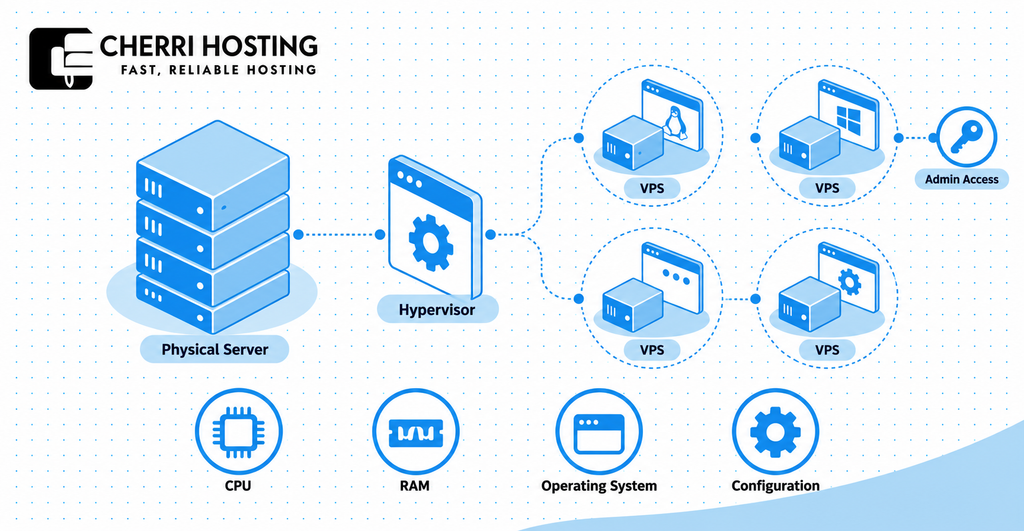
VPS hosting works through technology called virtualization. A software layer, known as a hypervisor, creates and manages each virtual server. For example, one physical server with 64 GB RAM could support four VPS instances with 16 GB each. Actual allocations depend on the hosting provider’s infrastructure.
Unlike shared hosting, VPS hosting provides stronger separation between hosting environments. Shared hosting accounts typically operate under common server management and resource restrictions. A VPS offers independent configuration and defined resource allocations, although the underlying physical hardware remains shared.
The main difference is resource control and isolation. Shared hosting usually suits basic websites requiring little customization. VPS hosting becomes useful when your website needs additional computing capacity or administrator access.
Why Choose VPS Hosting? 7 Key Benefits
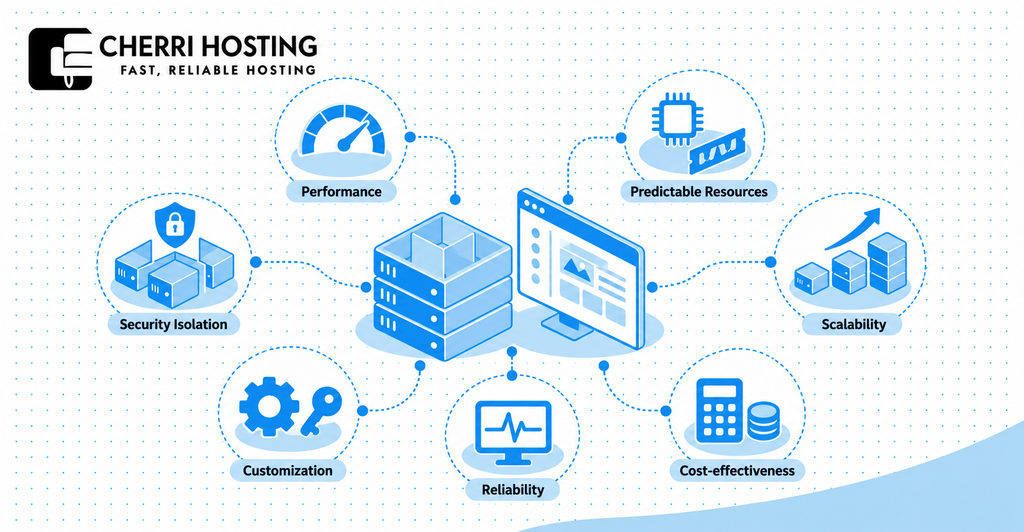
The seven main benefits of VPS hosting are performance, resource predictability, security isolation, scalability, customization, reliability, and cost-effectiveness. Together, these advantages address common limitations of shared hosting. However, their actual value depends on your website’s needs and the provider’s infrastructure.
1. Better Website Performance and Speed
VPS hosting can improve website performance by providing allocated processing power, memory, and storage. Your website no longer depends entirely on the same shared-hosting resource pool. This can reduce slowdowns caused by resource contention.
For example, a WooCommerce store might struggle during a busy checkout period. A properly configured VPS can provide additional CPU and RAM to process customer requests. However, server resources must match the workload to deliver noticeable improvements.
Website speed can influence purchasing behavior. Deloitte’s Milliseconds Make Millions study associated a 0.1-second mobile speed improvement with 8.4% higher retail conversions. This finding demonstrates the importance of performance, although upgrading to VPS does not guarantee similar results.
VPS hosting cannot automatically fix an unoptimized website. Large images, inefficient plugins, and slow database queries can still cause delays. Review website optimization alongside server performance before expecting faster loading.
2. More Predictable Server Resources
VPS hosting provides defined resource allocations, including CPU capacity, RAM, and disk storage. These allocations help website owners plan for specific workload requirements. Shared hosting often offers less direct control over resource availability.
For example, a VPS package might provide 2 vCPUs, 4 GB RAM, and 80 GB SSD storage. These specifications define the computing capacity available under that plan. They also make comparing hosting packages easier.
However, allocated virtual CPUs are not always physically dedicated CPU cores. Some providers use shared CPU scheduling, which can affect performance under heavy demand. Check whether CPU capacity is shared, reserved, or dedicated before purchasing.
Predictable resource allocation helps identify when an upgrade becomes necessary. CPU saturation, high memory usage, or storage bottlenecks can signal insufficient capacity. Monitoring these measurements is more useful than relying only on monthly visitor counts.
3. Greater Security and Server Isolation
VPS hosting provides stronger security isolation by separating your server environment from neighboring hosting accounts. Each VPS typically runs its own operating system and server configuration. This separation reduces direct exposure to problems affecting another virtual environment.
For example, a compromised website on another VPS cannot normally access your isolated operating system. However, virtualization does not eliminate every security threat. Vulnerable software, stolen credentials, and incorrect configurations can still expose your website.
VPS hosting also allows greater control over security measures. You can configure firewalls, SSH authentication, software updates, and access permissions. These controls help restrict unauthorized access when correctly implemented.
Security remains a shared responsibility between you and your hosting provider. Managed VPS packages may include system updates and security monitoring. Unmanaged VPS owners usually handle these responsibilities themselves.
4. Easy Scalability for Growing Websites
VPS hosting allows resource upgrades as your website’s computing requirements increase. You can often select a larger plan without purchasing dedicated hardware. This flexibility supports websites experiencing sustained growth.
For example, a growing online store could upgrade from 2 vCPUs and 4 GB RAM. Its next plan might provide 4 vCPUs and 8 GB RAM. Additional capacity can help support more demanding application workloads.
However, VPS scalability is not always automatic or unlimited. Some upgrades require a restart, storage migration, or movement to another physical host. Check the provider’s upgrade process before choosing a plan.
VPS hosting works particularly well when growth is reasonably predictable. Applications experiencing unpredictable traffic surges may require load balancing or cloud-based scaling. The appropriate setup depends on workload behavior rather than traffic volume alone.
5. Full Control and Customization
VPS hosting gives you greater control over server configuration, operating systems, and software installation. Unmanaged VPS packages commonly include root access or administrator-level permissions. This allows changes that shared hosting often restricts.
For example, developers can install Nginx, Docker, Node.js, or specific PHP versions. They can also configure custom databases and application environments. Such flexibility supports software requiring specialized server settings.
You may also choose compatible operating systems, including Ubuntu, Debian, or AlmaLinux. This allows the environment to match your application’s technical requirements. However, available operating system choices depend on the provider.
Greater control also creates greater maintenance responsibility. Incorrect firewall settings or failed software updates can interrupt website availability. Managed hosting may reduce these risks through provider assistance.
6. More Consistent Reliability and Stability
VPS hosting can offer more consistent resource availability than basic shared hosting. Defined resource allocations reduce some interference from neighboring accounts. This can help websites maintain stable performance during routine demand.
For example, another customer’s traffic increase may significantly affect a shared hosting server. A VPS provides stronger separation between resource allocations. However, physical hardware and network infrastructure can still experience failures.
Reliability also depends on uptime commitments and recovery procedures. Google’s Site Reliability Engineering availability table shows that 99.9% uptime permits approximately 8.76 hours of downtime annually. This calculation demonstrates why uptime percentages require careful interpretation.
No standard VPS plan guarantees uninterrupted service. Check backup frequency, server monitoring, recovery procedures, and uptime agreements. These safeguards matter alongside resource allocation.
7. Cost Effective Alternative to Dedicated Hosting
VPS hosting provides server-level control without requiring exclusive ownership of physical hardware. This generally makes it less expensive than comparable dedicated hosting. Businesses can purchase an allocation suited to their workload.
For example, a business application requiring 4 vCPUs and 8 GB RAM may not need an entire server. A VPS can provide that capacity through virtualization. This avoids paying for unused physical hardware resources.
VPS hosting also supports gradual infrastructure investment. Website owners can begin with a smaller configuration and upgrade when necessary. However, the provider’s infrastructure determines available upgrade options.
Cost-effectiveness depends on total operating expenses, not just the advertised monthly price. Server management, backup storage, control panel licenses, and security services may increase expenses. Compare these costs before choosing between VPS and dedicated hosting.
VPS Hosting vs Shared, Dedicated, and Cloud Hosting
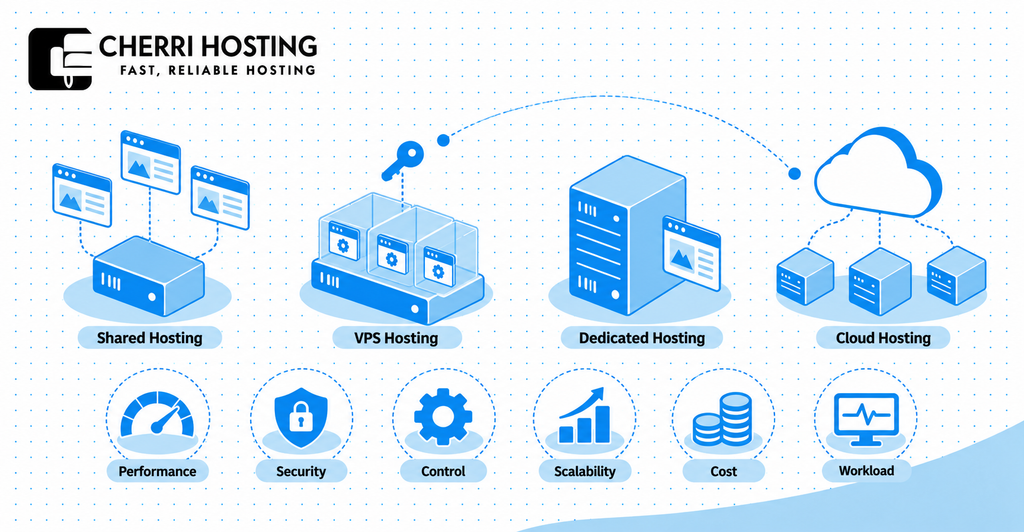
VPS hosting balances resource control and cost between shared and dedicated hosting, while cloud hosting offers different infrastructure options. Each hosting model serves a particular workload. Understanding their differences helps prevent unnecessary spending.
VPS Hosting vs Shared Hosting
Shared hosting uses a common server environment, while VPS hosting creates separate virtual server environments. Shared hosting typically costs less and requires minimal technical administration. VPS hosting provides greater configuration freedom and more predictable resource allocation.
For example, a personal blog may work adequately on an inexpensive shared hosting plan. A growing WooCommerce store might benefit from VPS resources during demanding checkout activity. The better choice depends on actual performance requirements.
VPS Hosting vs Dedicated Hosting
VPS hosting shares physical hardware, while dedicated hosting provides exclusive access to one physical server. Dedicated hosting avoids competition for hardware resources from unrelated customer servers. However, it generally requires higher infrastructure spending.
For example, a demanding database application might require exclusive hardware and specialized storage configurations. A smaller business website may only require 2 vCPUs and 4 GB RAM. VPS hosting can satisfy that smaller requirement without renting an entire machine.
VPS Hosting vs Cloud Hosting
Traditional VPS hosting typically operates on one physical host, while cloud hosting may use distributed infrastructure. Cloud infrastructure can support automated recovery and flexible capacity allocation. However, these capabilities depend on the provider’s architecture.
For example, a cloud application might distribute traffic across multiple virtual machines. A traditional VPS commonly uses one configured virtual server. Cloud VPS products can combine both approaches, so these hosting categories sometimes overlap.
VPS Hosting Comparison Table
| Feature | Shared Hosting | VPS Hosting | Dedicated Hosting | Cloud Hosting |
| Performance | Shared resource limits | Defined virtual resources | Exclusive hardware | Depends on instance configuration |
| Security | Account isolation | Virtual server isolation | Physical server exclusivity | Configurable isolation |
| Control | Limited | Usually administrator access | Full server control | Depends on service type |
| Scalability | Plan upgrades | Resource upgrades | Hardware upgrades | Often flexible scaling |
| Cost | Generally low | Moderate | Generally high | Fixed or usage-based |
| Best suited for | Basic websites | Growing websites | Demanding workloads | Variable infrastructure needs |
VPS hosting is a practical middle option when shared hosting becomes restrictive. It offers greater control without the typical expense of dedicated hardware. Cloud hosting may be preferable when an application needs automated scaling or distributed availability.
Who Should Choose VPS Hosting?
VPS hosting suits growing websites, business applications, online stores, developers, and agencies requiring additional resource control. These workloads can demand more flexibility than standard shared hosting provides. However, website size alone does not determine VPS suitability.
Growing websites: A blog experiencing frequent server slowdowns may benefit from additional computing resources. For example, performance problems during 50 simultaneous visits could indicate a resource bottleneck. Verify CPU and memory usage before upgrading.
Small and medium-sized businesses: Booking platforms, customer portals, and business dashboards may require customized software environments. A VPS provides greater control over installation and server configuration. This can help support applications with specialized technical requirements.
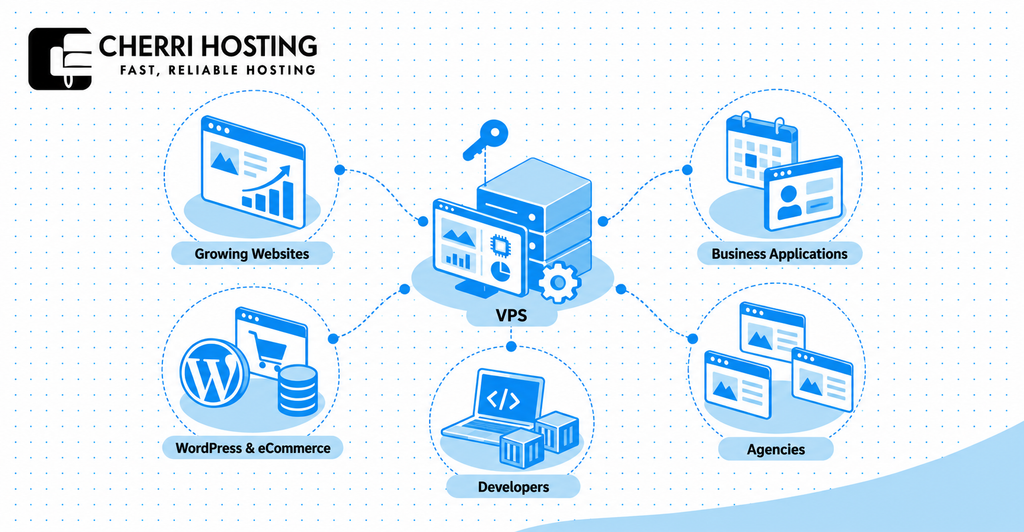
WordPress and eCommerce websites: WooCommerce stores often perform database queries during checkout and inventory updates. These operations may require additional memory and processing capacity. A properly configured VPS can support demanding workloads when shared hosting becomes insufficient.
Developers and custom applications: Developers using Python, Node.js, or Docker may require administrator-level access. VPS hosting allows compatible software installation and custom server configurations. It also supports separate development environments for testing software changes.
Agencies managing multiple websites: An agency could host 10 compatible client websites on one appropriately sized VPS. Centralized management may simplify software configuration and resource monitoring. However, each client website still needs appropriate isolation, backups, and access controls.
The deciding factor is workload complexity, not just visitor count. A low-traffic application can require substantial server resources. Conversely, a well-optimized informational website may perform adequately on shared hosting.
When Should You Upgrade to VPS Hosting?
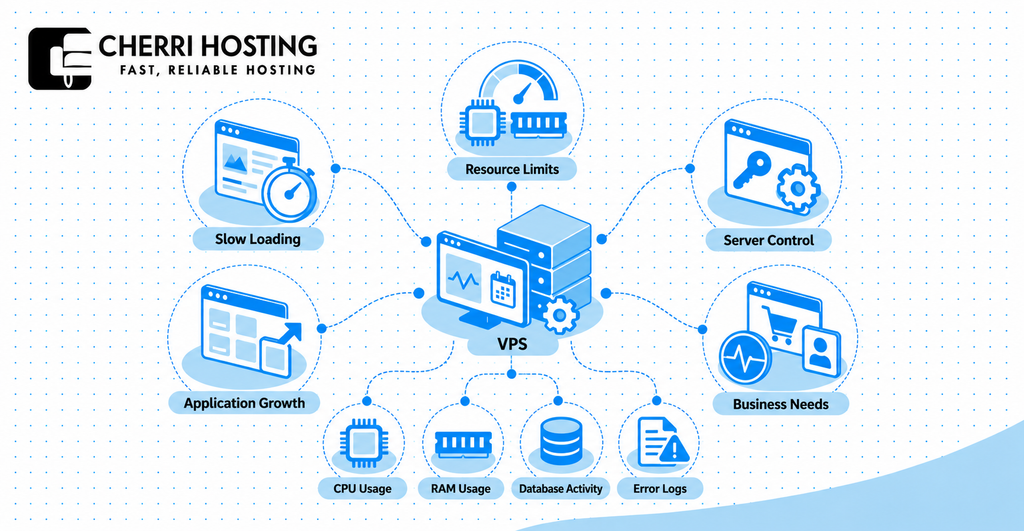
Upgrade to VPS hosting when persistent resource limitations, restricted server control, or growing application requirements affect your website. One slow loading test does not automatically justify migration. Look for repeated problems supported by actual performance measurements.
1. Your website frequently slows down: Loading delays during busy periods may indicate insufficient computing capacity. Use Google PageSpeed Insights to investigate performance. Google’s historical research found that 53% of mobile visits were abandoned when pages exceeded three seconds. This finding comes from 2016 data and does not prove hosting caused those delays.
2. Your hosting reaches resource limits: Repeated memory errors, CPU throttling, or exhausted process limits indicate capacity problems. For example, a WooCommerce checkout may fail when PHP exceeds its memory allocation. Review hosting usage reports to confirm the cause.
3. You need greater server control: Shared hosting may restrict installation of Docker, custom database software, or particular server modules. A VPS can provide the administrator access required for these configurations. Confirm compatibility before migrating.
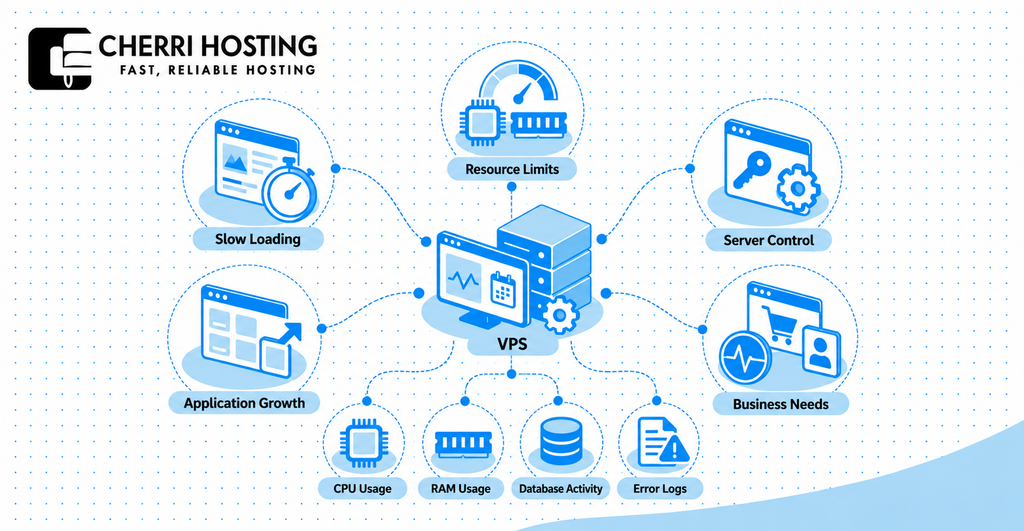
4. Your application requirements increase: Expanding functionality can increase memory, CPU, and storage demand. For example, adding a search-heavy product catalog may increase database processing. VPS hosting offers more flexibility for these changing workloads.
5. Your current hosting no longer meets business needs: Recurring resource-related outages may disrupt checkout or customer access. A VPS can provide additional capacity and configuration control. However, moving servers cannot resolve unreliable application code or external service failures.
Before upgrading, review performance measurements over at least seven representative days. Check CPU usage, RAM consumption, database activity, and server error records. Also test caching, image compression, and plugin optimization. Upgrade when these checks identify a persistent hosting limitation.
What Are the Disadvantages of VPS Hosting?
The disadvantages of VPS hosting include higher costs, technical maintenance, security responsibilities, and finite computing resources. These limitations matter when comparing VPS with managed shared hosting. Understanding them helps prevent an unnecessary upgrade.
Higher costs: VPS hosting generally costs more than basic shared hosting. Expenses may include control panel licensing, off-server backups, and server administration. A low advertised price may not reflect the complete monthly bill.
Technical maintenance: Unmanaged VPS hosting requires knowledge of operating systems, server software, and troubleshooting. For example, administrators may need to configure SSH, update Nginx, or repair database connectivity. Managed VPS packages can reduce this workload.
Security and backup responsibilities: Virtual server isolation does not replace regular security maintenance. Firewall configuration, software patches, credential protection, and backup restoration remain important. Confirm which tasks your hosting provider handles.
Resource and configuration limits: Every VPS has finite computing capacity. A 2-vCPU server can still become overloaded by demanding applications. Incorrect settings may also cause downtime or poor performance.
Shared hosting may remain the better choice for a small, uncomplicated website. For example, a basic portfolio or informational blog may not need administrator access. If performance is satisfactory, upgrading could introduce unnecessary cost and management work.
How to Choose the Right VPS Hosting Plan
Choose a VPS plan by matching its resources, management services, security, and support to your website’s requirements. Start by reviewing current hosting usage. Then compare what each provider includes beyond the advertised specifications.
1. Managed vs Unmanaged VPS Hosting
Managed VPS includes agreed provider assistance, while unmanaged VPS leaves most server administration to the customer. Managed packages may cover operating system updates, monitoring, and troubleshooting. However, included services vary considerably between providers.
For example, a business without technical staff may benefit from managed VPS. A developer experienced with Linux and SSH may prefer unmanaged hosting. Check whether backup restoration, application support, and security maintenance are included.
2. CPU, RAM, Storage, and Bandwidth Requirements
CPU, RAM, storage, and bandwidth determine how much work a VPS can handle. CPU processes application requests, while RAM supports active software and database operations. Storage holds website content, and bandwidth affects data transfer capacity.
For example, 2 vCPUs and 4 GB RAM could provide a starting configuration for some WordPress workloads. An 80 GB SSD could hold application files and a moderate database. These numbers are illustrative, not guaranteed requirements.
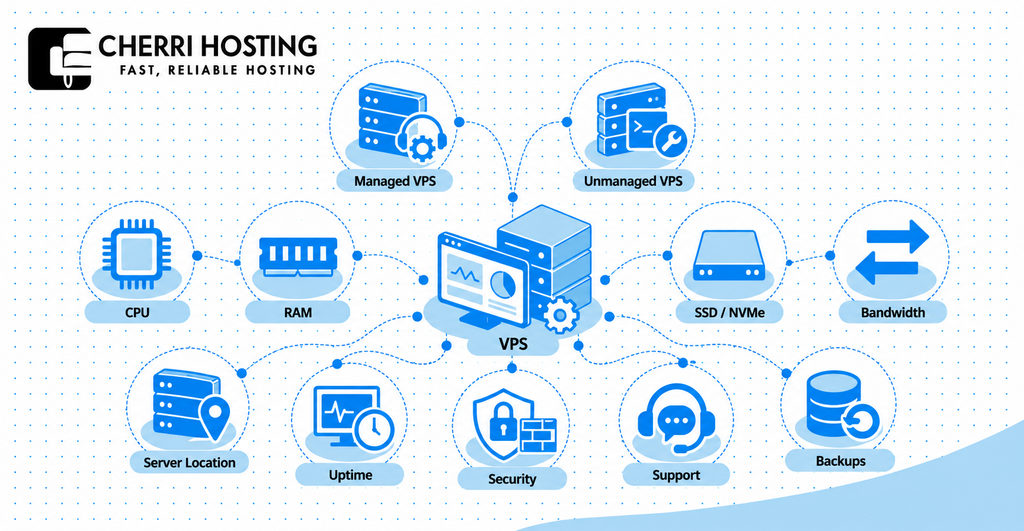
Choose SSD or NVMe storage when fast disk access matters. Database-heavy applications may benefit from storage with stronger input/output performance. Also check transfer limits, CPU allocation policies, and backup storage capacity.
Review actual resource consumption before selecting a larger VPS package. High CPU usage may require additional processing capacity or application optimization. Repeated memory exhaustion may justify more RAM. Storage problems require different solutions from processing bottlenecks.
3. Server Location, Uptime, Security, and Support
Choose a provider with suitable server locations, clear uptime terms, documented security features, and accessible support. Infrastructure quality affects the hosting experience beyond CPU and RAM specifications. Evaluate these factors before committing to a long billing term.
Server location: Hosting nearer your main audience can reduce network latency. For example, London hosting may benefit a website primarily serving UK visitors. However, content delivery networks can also improve delivery across geographic regions.
Uptime: Review the service-level agreement and any published performance history. A 99.9% availability target allows approximately 43.2 minutes of downtime during a 30-day month. Confirm whether compensation or service credits apply when commitments are missed.
Security and support: Check firewall availability, DDoS protection, backup frequency, and support response commitments. Ask whether assistance covers operating system failures or only infrastructure faults. Also confirm how backup restoration works before an emergency occurs.
Is VPS Hosting Worth the Cost?
VPS hosting is worth the cost when additional computing resources or server control solve a genuine business problem. It generally costs more than shared hosting but less than comparable dedicated infrastructure. Actual value depends on performance needs and operating expenses.
VPS pricing depends on CPU allocation, RAM, storage, bandwidth, and management level. For example, DigitalOcean’s published Basic Droplet pricing lists 2 vCPUs and 4 GiB memory at $24 monthly. Its 1-vCPU, 1-GiB configuration costs $6 monthly. These are cloud virtual machine examples, not Cherri Hosting prices.
Additional costs can include automated backups, control panel licenses, technical management, and enhanced security services. Renewal charges may also differ from introductory offers. Calculate the total annual cost rather than comparing headline monthly prices alone.
For example, a WooCommerce store losing transactions during repeated resource overload may justify paying for greater capacity. A small blog running smoothly on shared hosting may see little benefit. The right choice depends on the cost of existing limitations compared with the upgrade expense.
Frequently Asked Questions About VPS Hosting
Is VPS hosting suitable for beginners?
Yes, beginners can use VPS hosting, particularly when choosing a managed service. Managed providers may handle operating system maintenance and server troubleshooting. Unmanaged VPS requires more technical knowledge, including Linux administration and SSH access.
Does VPS hosting make a website faster?
VPS hosting can improve speed when insufficient server resources cause slow loading. However, caching, image sizes, application code, and network conditions also affect performance. Google recommends a Largest Contentful Paint score of 2.5 seconds or less for a good loading experience.
Is VPS hosting more secure than shared hosting?
VPS hosting generally provides stronger environment isolation than basic shared hosting. Each virtual server has separate operating system controls. However, software vulnerabilities and poor configurations still create security risks.
Can I host multiple websites on one VPS?
Yes, one VPS can host multiple websites when sufficient resources are available. For example, a VPS might support five optimized WordPress websites with moderate traffic. Actual capacity depends on memory usage, application complexity, and simultaneous requests.
Does VPS hosting improve SEO?
VPS hosting does not directly guarantee better Google rankings. Better server performance can support website speed and user experience. However, content relevance, usability, and other search ranking considerations still matter.
Can VPS hosting handle sudden traffic spikes?
Yes, VPS hosting can handle traffic spikes within its available computing capacity. For example, a promotion receiving 500 simultaneous visitors may require additional CPU and caching. A VPS without sufficient resources can still slow down or fail.
Is VPS hosting worth it for a small website?
VPS hosting can be worthwhile for a small website with specialized requirements. A simple portfolio may work well on shared hosting. However, a small custom application needing administrator access could justify VPS hosting.
Final Verdict: Should You Choose VPS Hosting?
Choose VPS hosting when your website needs more predictable resources, greater control, or flexibility beyond shared hosting. Its seven benefits address performance, isolation, scalability, customization, reliability, and infrastructure value. However, those benefits depend on appropriate resource sizing and configuration.
Before upgrading, investigate the actual cause of existing performance problems. Review server usage, technical requirements, total costs, and management responsibilities. If shared hosting continues meeting your needs, upgrading may not be necessary.
For growing websites, VPS hosting can provide a practical step toward greater infrastructure control. Compare hosting packages using verified specifications, support commitments, and recovery procedures. The right VPS should solve your current limitations while supporting realistic future growth.