Buy VPS with Crypto: 5 Things to Know Before Buying
Found a VPS hosting plan you like, but it doesn’t accept your cryptocurrency? You’re not alone in searching for a simple way to buy VPS with crypto. Some providers offer confusing payment options, unexpected fees, or unclear server details. One wrong choice could cost you money before your server even starts.
Paying with Bitcoin or other cryptocurrencies can make hosting payments easier. But not every VPS provider offers the same performance, security, or value. Choosing without checking these details could leave you with an unsuitable server.
This guide covers five essential things to know before purchasing crypto VPS hosting. You’ll learn about payment methods, server specifications, pricing, security, and choosing a reliable provider. You’ll also discover how to avoid common mistakes and make a confident buying decision.
What Is Crypto VPS Hosting?
Crypto VPS hosting is a virtual private server service that accepts cryptocurrency as payment. A VPS provides a private virtual environment within a larger physical server. You can use it to host WordPress websites, databases, and applications. The cryptocurrency payment method does not change how the server itself operates.
How Does a VPS Work?
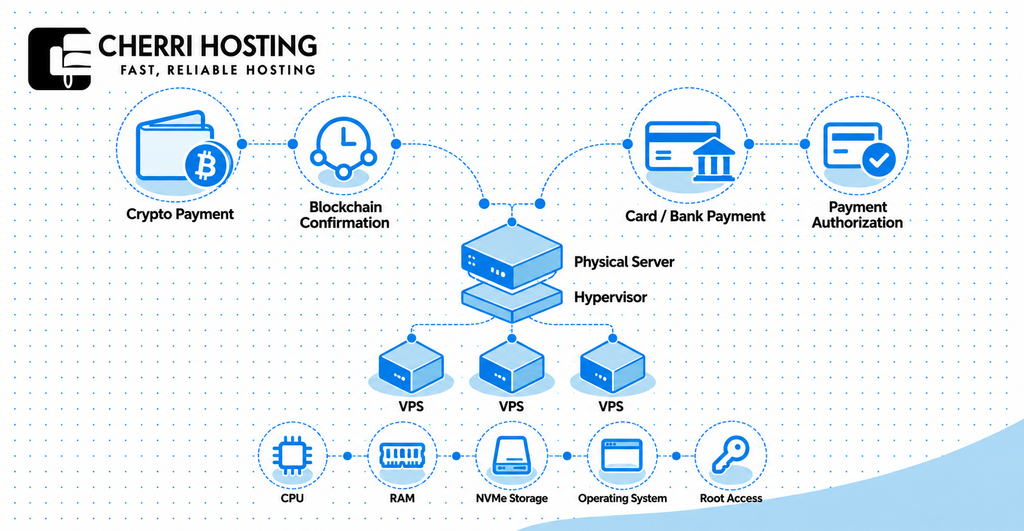
A VPS works by dividing one physical server into separate virtual machines using virtualization technology. Each virtual machine runs its own operating system and receives an allocated share of computing resources. These resources include CPU processing power, RAM, disk storage, and network connectivity.
For example, a VPS might include 2 virtual CPUs, 4 GB RAM, and 40 GB NVMe storage. The user can install software such as WordPress, Nginx, or Docker without controlling the underlying physical machine. The hosting provider maintains the hardware, while server administration depends on whether the plan is managed or unmanaged.
Unlike shared hosting, a VPS normally offers greater control over operating system settings and installed software. However, VPS hosting does not always provide exclusive access to physical CPU cores. Other virtual machines can still share the underlying hardware, depending on the hosting architecture.
How Is Crypto VPS Hosting Different From Regular VPS Hosting?
The main difference is the payment method, not the server technology. Crypto VPS hosting allows payment using supported digital currencies instead of relying only on traditional billing. Both hosting types can offer similar CPU, RAM, storage, and root access. Performance depends on the actual server infrastructure and resource allocation.
| Feature | Crypto VPS Hosting | Regular VPS Hosting |
| Payment | Supported cryptocurrency | Card, bank transfer, or other methods |
| Server technology | Standard VPS virtualization | Standard VPS virtualization |
| Performance | Depends on hardware and plan | Depends on hardware and plan |
| Privacy | May reduce banking data sharing | Depends on payment provider |
| Activation | May require blockchain confirmation | Depends on payment authorization |
| Refunds | Provider policy; transfer reversal limited | Provider and payment processor policies |
Buying with crypto does not automatically provide anonymity, faster hosting, or better security. The hosting provider may still request account information or identity verification. You should therefore compare the hosting service separately from its payment method.
Why Buy a VPS with Cryptocurrency?
Buying a VPS with cryptocurrency offers alternative payment options, international flexibility, and less reliance on credit cards. It can suit customers already holding Bitcoin, Ethereum, or stablecoins. Developers, website owners, and small businesses may prefer using their existing digital assets. However, convenience depends on the supported cryptocurrency, network, and checkout process.
Benefits of Paying for VPS Hosting with Crypto
Cryptocurrency payments offer four practical benefits when the hosting provider supports them. These benefits relate mainly to billing flexibility rather than server hardware. They are useful for customers who cannot or prefer not to use conventional payment methods.
- Payment flexibility: Pay using supported assets such as Bitcoin, Ethereum, or USDT without entering credit card details.
- International accessibility: Send supported cryptocurrency across national borders without arranging a traditional international bank transfer.
- Less banking information sharing: Avoid giving the hosting provider your bank account number or payment card information.
- Wallet-based payments: Transfer cryptocurrency directly from a compatible wallet using an invoice address or QR code.
For example, a developer holding Bitcoin can pay a compatible provider without first converting the asset into bank currency. A customer holding USDT may prefer its dollar-pegged pricing when comparing monthly hosting costs. Both transactions still depend on the provider’s accepted network and payment requirements.
Are There Disadvantages to Paying with Crypto?
Crypto payments can involve variable transaction fees, confirmation delays, and irreversible transfers. Bitcoin and Ethereum prices can also change between budgeting and checkout. Stablecoins such as USDT reduce some price volatility but introduce network compatibility and issuer-related considerations.
According to Bitcoin.org, Bitcoin adds new blocks approximately every 10 minutes on average. That does not guarantee confirmation within 10 minutes. Network congestion and transaction fees can delay processing. A hosting provider may require additional confirmations before provisioning your server.
Cryptocurrency is therefore most useful when its payment benefits match your requirements. You should understand the final invoice amount, transaction network, and refund conditions. A lower advertised hosting price does not necessarily mean a lower total payment cost.
1. Check Which Cryptocurrencies and Networks Are Accepted
Before buying a VPS with crypto, confirm the exact cryptocurrency and blockchain network accepted by your hosting provider. Supporting Bitcoin does not automatically mean supporting Ethereum, USDT, or Litecoin. Even the same token may operate across incompatible networks. Incorrect payment details can delay activation or cause permanent financial loss.
Bitcoin, USDT, Ethereum, and Other Payment Options
Bitcoin (BTC) is a common cryptocurrency payment option among crypto-focused hosting services. It allows customers to send funds from a compatible Bitcoin wallet. The hosting provider usually supplies a payment amount and receiving address during checkout.
Tether (USDT) and USD Coin (USDC) are stablecoins designed to maintain values close to one US dollar. They can simplify price comparisons when hosting invoices are denominated in dollars. However, they operate on several networks, so the accepted token alone is insufficient.
Ethereum (ETH) is the native cryptocurrency of the Ethereum network. ETH transfers normally require gas fees, which cover network processing. Litecoin (LTC) is another cryptocurrency that some hosting services accept.
| Cryptocurrency | Common payment consideration | What to verify |
| Bitcoin (BTC) | Network confirmation time | Bitcoin address and invoice deadline |
| Tether (USDT) | Supported network varies | ERC-20, TRC-20, or another network |
| Ethereum (ETH) | Variable gas fees | Correct Ethereum-compatible address |
| USD Coin (USDC) | Available on several chains | Exact chain and token type |
| Litecoin (LTC) | Separate blockchain | Litecoin network compatibility |
This table describes possible payment methods across the hosting market. It does not confirm that every provider accepts these cryptocurrencies. Always use the payment choices displayed during the provider’s actual checkout.
Blockchain Networks, Confirmations, and Transaction Fees
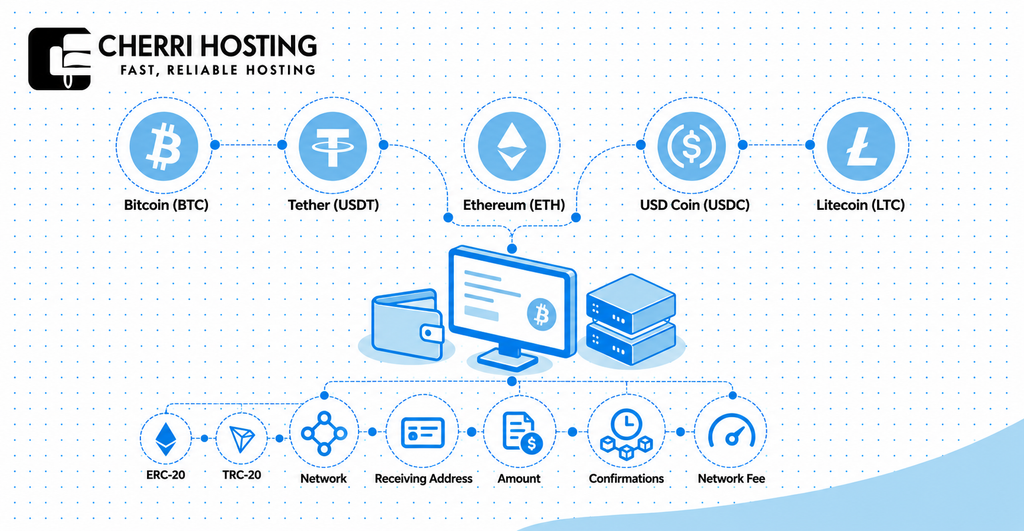
A blockchain network processes cryptocurrency transfers and records them on a distributed ledger. Bitcoin uses its own network, while tokens such as USDT can exist on different blockchains. For example, USDT on Ethereum and USDT on Tron are not interchangeable payment routes.
Ethereum transaction fees are known as gas fees. According to Ethereum.org, gas fees depend on network demand and the work required. The final fee may therefore differ between two transactions.
Consider an illustrative VPS invoice requesting $20 in USDT on the Tron network. Sending $20 through Ethereum instead might not satisfy that invoice. The transaction could reach an unsupported address or require manual recovery.
Before confirming payment, verify the cryptocurrency, network, receiving address, and amount. Check whether your wallet deducts the network fee separately. Never assume the provider can recover a transfer sent through an unsupported network.
2. Choose the Right VPS Plan and Server Specifications
Choose your crypto VPS plan according to workload, CPU capacity, RAM, storage, bandwidth, and operating system compatibility. These specifications determine whether your server can run its intended software effectively. Buying an oversized plan increases costs, while insufficient resources can cause slow performance.
CPU, RAM, Storage, and Bandwidth
CPU and RAM are key resources for website processing and running active software. CPU handles calculations and application requests, while RAM holds temporary working data. Storage retains website files, databases, and operating system information.
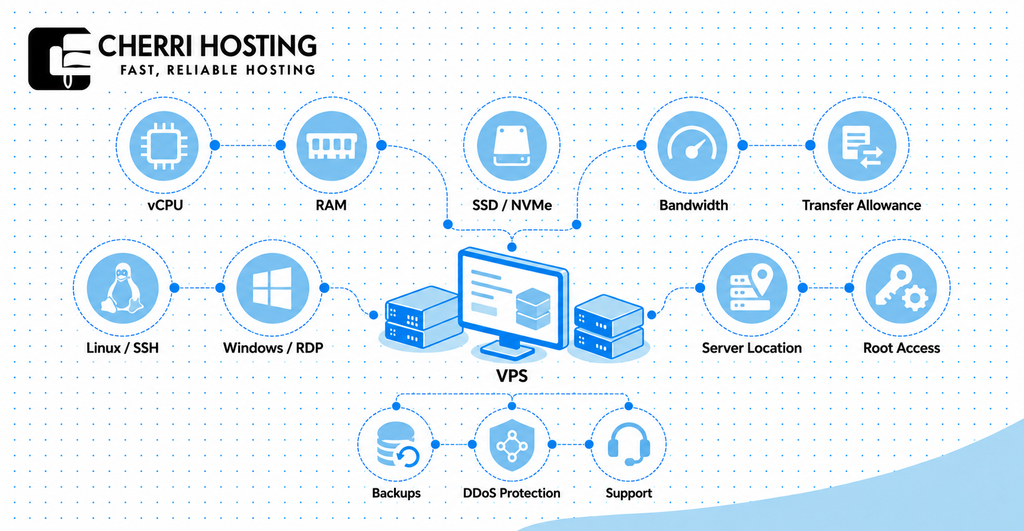
Four specifications deserve careful attention:
- vCPU: Virtual processing capacity for tasks such as PHP execution, database queries, and background jobs.
- RAM: Active memory for services such as WordPress, MySQL, and Redis.
- SSD or NVMe storage: Disk space for operating systems, applications, backups, and database files.
- Bandwidth and transfer allowance: Network speed and permitted monthly data usage.
For example, 2 vCPUs, 4 GB RAM, and 40 GB SSD storage can be a reasonable starting estimate for a modest WordPress deployment. A large WooCommerce store may need additional memory and processing capacity. Actual requirements depend on visitors, software, caching, and database activity.
Network capacity also deserves attention. A 250 Mbit/s connection describes a speed limit, not necessarily an unlimited monthly transfer allowance. Ask the provider whether traffic limits, fair-use restrictions, or excess charges apply.
Linux vs. Windows VPS Hosting
Linux suits software compatible with Ubuntu, Debian, and similar operating systems. It commonly supports web servers such as Nginx and Apache, alongside PHP, Python, and Docker. Linux distributions are often available without additional operating system licensing charges.
Windows VPS hosting suits workloads requiring Microsoft technologies such as IIS or Windows-specific software. Access commonly uses Remote Desktop, while Linux administration usually uses SSH. Windows licensing can increase the monthly hosting cost.
| Requirement | Linux VPS | Windows VPS |
| Common operating systems | Ubuntu, Debian, AlmaLinux | Windows Server |
| Remote administration | SSH | Remote Desktop |
| Web software | Nginx, Apache, PHP | IIS, ASP.NET |
| Common use | Websites, APIs, containers | Windows-dependent applications |
| Licensing | Often no OS license fee | Often an additional license cost |
Your operating system should match your application rather than your preferred cryptocurrency. Confirm the available installation images before buying the plan. Some providers limit operating system choices according to their virtualization setup.
Server Locations, Root Access, and Uptime
Server location affects network latency, which is the delay between a visitor and your server. Hosting near your primary audience can reduce this delay. For example, a Frankfurt server may offer lower latency to German visitors than one in Singapore.
Root access provides administrative control over a Linux server. It allows software installation, firewall configuration, and system updates. Windows VPS hosting commonly offers comparable administrator privileges.
Also review the provider’s service level agreement, called an SLA. This document explains how uptime commitments are measured and whether compensation applies. A 99.9% uptime level corresponds to approximately 43 minutes of downtime over 30 days.
| Uptime percentage | Downtime over 30 days |
| 99% | 7 hours 12 minutes |
| 99.9% | 43 minutes 12 seconds |
| 99.99% | About 4 minutes 19 seconds |
These figures illustrate availability percentages rather than promises from a specific hosting company. SLA exclusions may affect which outages count toward the provider’s commitment. Also confirm backup availability, DDoS mitigation, and technical support coverage.
3. Understand VPS Pricing and Total Costs
The cost of buying a VPS with cryptocurrency includes hosting charges, possible network fees, and optional services. Monthly prices vary according to CPU, memory, storage, and management level. A low advertised amount may not represent the full cost of running your server.
Monthly VPS Hosting Prices
Entry-level VPS plans can cost under $15 monthly, while larger configurations may exceed $50. These figures are broad examples, not fixed market prices. Dedicated CPU capacity, premium support, or Windows licensing can raise costs.
For comparison, CherriHosting’s published VPS catalog lists the HH1 plan at $9.50 monthly. It advertises one AMD EPYC Milan core, 2 GB RAM, and 10 GB NVMe storage. Another advertised plan, HH2, costs $17 monthly with 2 cores and 4 GB RAM.
When evaluating a provider, compare specifications rather than prices alone. A cheaper VPS with 1 GB RAM may be unsuitable for your workload. A more expensive plan can be worthwhile when it prevents resource shortages.
Network Fees, Renewals, and Additional Charges
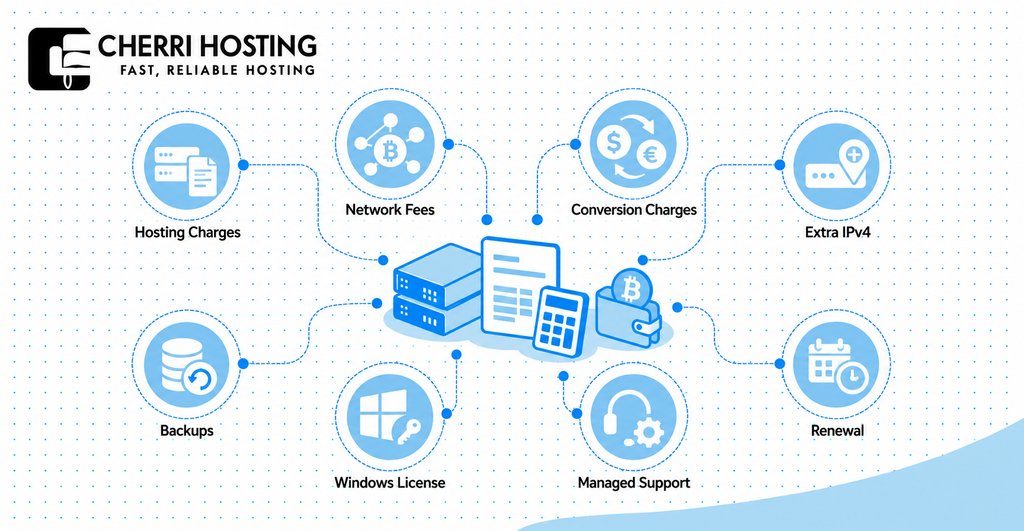
The total payment may exceed the advertised VPS price because cryptocurrency transactions can require network fees. Payment processors may also apply conversion charges or specific invoice conditions. These charges depend on the coin, blockchain, wallet, and provider.
Consider an illustrative $15 monthly VPS invoice with a separate $0.80 network fee. The payment would cost $15.80 if no other charges applied. Twelve identical monthly payments would total $189.60, including those example network fees.
Other costs may include:
- Additional IPv4 addresses: Some providers charge separately for each extra address.
- Backups: Automatic snapshot storage or managed recovery may cost extra.
- Windows licensing: The operating system license may be billed alongside server resources.
- Managed support: Installation, security maintenance, and technical administration may involve an additional charge.
- Renewal pricing: Promotional rates may change after the introductory billing period.
Always check whether annual payments receive discounts and whether the discount applies after renewal. Crypto payments may require manual renewal rather than automatic recurring charges. Record your expiry date to avoid accidental service suspension.
Is Cheap Crypto VPS Hosting Worth It?
Cheap crypto VPS hosting is worthwhile when it provides sufficient resources and acceptable service reliability. A $5 plan is not economical if it cannot operate your website reliably. Likewise, a $50 plan may waste money on unused capacity.
Evaluate CPU allocation, storage technology, bandwidth, uptime terms, and customer support. Compare entry-level plans against the software you intend to operate. Start with a suitable configuration and upgrade when measured usage justifies it.
Avoid assuming that the cheapest provider is always the best choice. Payment compatibility is important, but so are transparent billing and reliable infrastructure. Your goal should be the lowest sustainable total cost for your actual workload.
4. Check Privacy, Security, and Payment Risks
Buying VPS hosting with cryptocurrency can reduce banking data sharing, but it does not guarantee anonymity or security. Privacy depends on blockchain design, account requirements, and provider practices. Server security also depends on how the operating system and applications are configured.
Cryptocurrency Privacy and KYC Requirements
Bitcoin transactions are publicly visible, even when wallet addresses do not directly display personal names. Blockchain analysis can sometimes connect addresses to identifiable individuals or services. Bitcoin.org explicitly explains that Bitcoin should not be considered anonymous.
KYC means Know Your Customer, which involves verifying a customer’s identity. A provider might request an identification document, billing information, or additional account verification. Paying with cryptocurrency does not automatically exempt a customer from these requirements.
Before paying, review the provider’s privacy policy and account verification rules. Ask whether KYC applies to the specific cryptocurrency payment method. Also check what information the provider retains for support, security, and legal compliance.
VPS Security Features to Look For
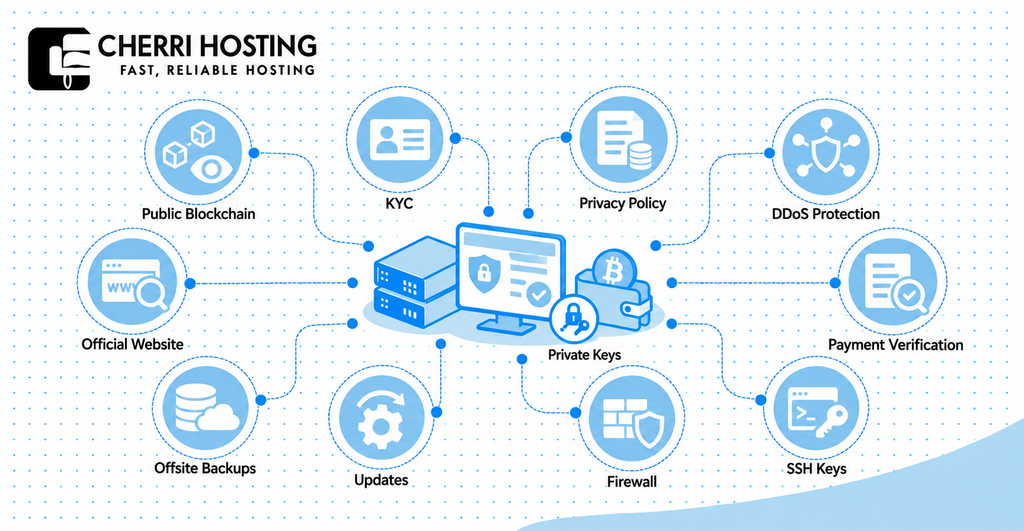
A secure VPS should provide appropriate network protection, controlled server access, and reliable recovery options. DDoS mitigation can reduce disruption from attacks designed to overwhelm a network. Firewalls limit unwanted connections, while backups help restore lost information.
Five useful security considerations are:
- DDoS protection: Check whether network-level attack mitigation is included.
- SSH key authentication: Protect Linux login access using cryptographic keys.
- Firewall controls: Restrict unnecessary ports and services.
- Regular updates: Apply security fixes to operating systems and applications.
- Independent backups: Keep recovery copies outside the primary virtual server.
An unmanaged VPS generally leaves operating system maintenance to the customer. Managed hosting may include additional security administration, but coverage varies. Review the service description instead of assuming the provider handles every security task.
How to Avoid Crypto Payment Scams and Mistakes
Verify the provider, wallet address, network, and payment amount before authorizing any cryptocurrency transfer. Confirm that you are using the official hosting website rather than a copied checkout page. Do not trust wallet addresses sent through unsolicited messages.
Bitcoin payments are generally irreversible without cooperation from the recipient. Bitcoin.org specifically warns that confirmed transfers cannot simply be undone. This makes address verification important before submitting a payment.
Never disclose wallet recovery phrases or private keys to support personnel. Use the exact invoice details generated during checkout. If instructions appear suspicious, contact the provider through its verified support channel before sending funds.
5. Choose a Reliable VPS Hosting Provider
A reliable crypto VPS provider should combine confirmed payment support, transparent pricing, suitable infrastructure, and accessible customer support. Cryptocurrency acceptance alone does not establish hosting quality. The provider should also explain what happens when payments fail or services expire.
What to Look for in a Crypto VPS Provider
Begin by confirming that cryptocurrency payments are available for the VPS plan you want. Check supported coins, blockchain networks, invoice expiration, and renewal methods. Ask whether refunds are possible and how they are calculated.
Next, review technical specifications such as CPU allocation, RAM, SSD or NVMe storage, and available operating systems. Look for a clear explanation of managed and unmanaged hosting responsibilities. Check whether the provider states data center locations, backup terms, and uptime commitments.
Finally, evaluate support and the provider’s policies. Read independent customer feedback, but distinguish verified experiences from promotional claims. Review acceptable-use restrictions, since some workloads may be prohibited regardless of payment method.
Why Consider CherriHosting for VPS Hosting?
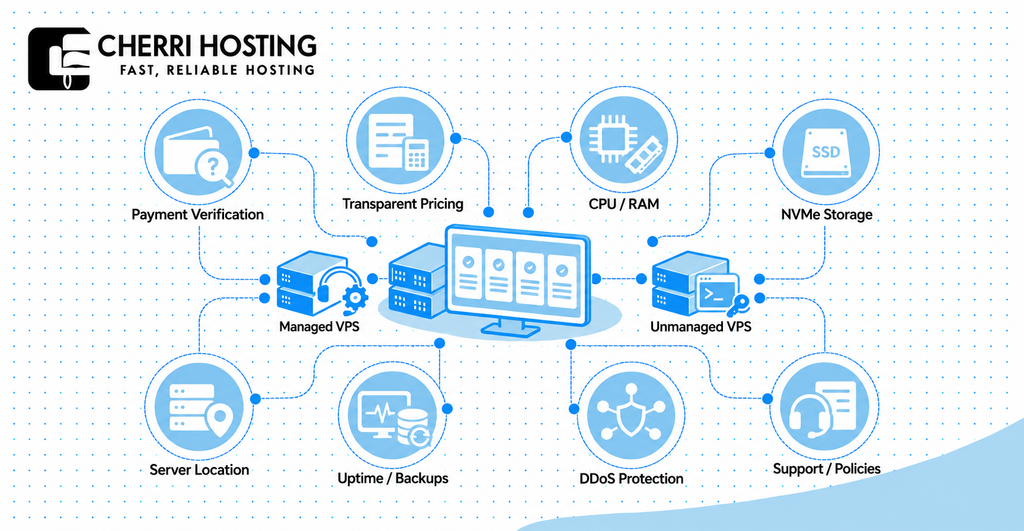
CherriHosting offers published VPS plans with multiple CPU, RAM, and storage configurations. Its VPS hosting page lists both managed and unmanaged service options. The company also advertises DDoS protection and additional IP address availability.
Several published VPS configurations include:
| CherriHosting plan | CPU | RAM | Storage | Published monthly price |
| HH1 | 1 AMD EPYC Milan core | 2 GB | 10 GB NVMe | $9.50 |
| HH2 | 2 AMD EPYC Milan cores | 4 GB | 20 GB NVMe | $17 |
| HH3 | 2 AMD EPYC Milan cores | 8 GB | 35 GB NVMe | $36 |
| HH4 | 4 listed CPU cores | 16 GB | 75 GB NVMe | $70 |
These prices reflect the publicly displayed plans and may change. CherriHosting separately advertises a Starter VPS at $12.50 monthly. Compare each plan’s hardware and included services before selecting one.
The unmanaged VPS description includes full root access and command-line management. The managed option advertises cPanel, technical support, and server security management. Customers should confirm which features are included in their chosen configuration.
CherriHosting’s public VPS information does not clearly establish which cryptocurrency payment methods are available. Before attempting to purchase with Bitcoin, USDT, or Ethereum, verify acceptance through the official checkout or customer support. Confirm the network, invoice process, identity requirements, and refund conditions before sending cryptocurrency.
You can explore CherriHosting VPS plans to compare the published configurations. Choose a plan suited to your technical requirements and budget. Proceed with cryptocurrency payment only after the provider confirms that your preferred method is supported.
How to Buy VPS with Crypto: Step-by-Step Guide
You can buy a VPS using cryptocurrency by selecting a compatible provider, configuring a server, and completing its crypto checkout. The following six steps describe a typical purchasing process. Exact screens and payment instructions vary between hosting companies.
Step 1: Choose a Provider That Accepts Cryptocurrency
Find a hosting provider that explicitly accepts your preferred cryptocurrency for VPS orders. Check its official payment page rather than relying only on an external review. Verify support availability, refund conditions, and any account verification requirements.
Step 2: Select Your VPS Plan and Server Location
Choose the CPU, RAM, storage, and bandwidth appropriate for your workload. For example, a small application may begin with 2 vCPUs and 4 GB RAM. Select a data center geographically suitable for your intended audience.
Step 3: Choose Your Operating System
Select Linux or Windows according to your software requirements. Ubuntu or Debian can support many common website and development workloads. Windows Server may be needed for applications that depend on Microsoft’s server ecosystem.
Step 4: Select Cryptocurrency at Checkout
Proceed to checkout and look for the provider’s cryptocurrency payment option. Select the supported coin and network, such as BTC on Bitcoin or USDT on a specified blockchain. Review the quoted payment amount and invoice deadline before proceeding.
Step 5: Complete and Confirm Your Crypto Payment
Open your compatible wallet and enter the payment details shown by the provider. Verify the network, receiving address, and amount before approving the transfer. Keep the transaction hash so you can check the blockchain confirmation status.
Step 6: Activate and Access Your VPS
Wait for the provider to verify payment and provision the server. Once activated, obtain the IP address and administrator credentials through its secure customer portal. Connect using SSH for Linux or Remote Desktop for Windows, then apply initial security updates.
After first login, change any temporary passwords and configure access restrictions. Enable SSH keys where supported and ensure the firewall permits only necessary services. Create an initial backup before deploying important workloads.
Common Problems When Buying VPS with Cryptocurrency
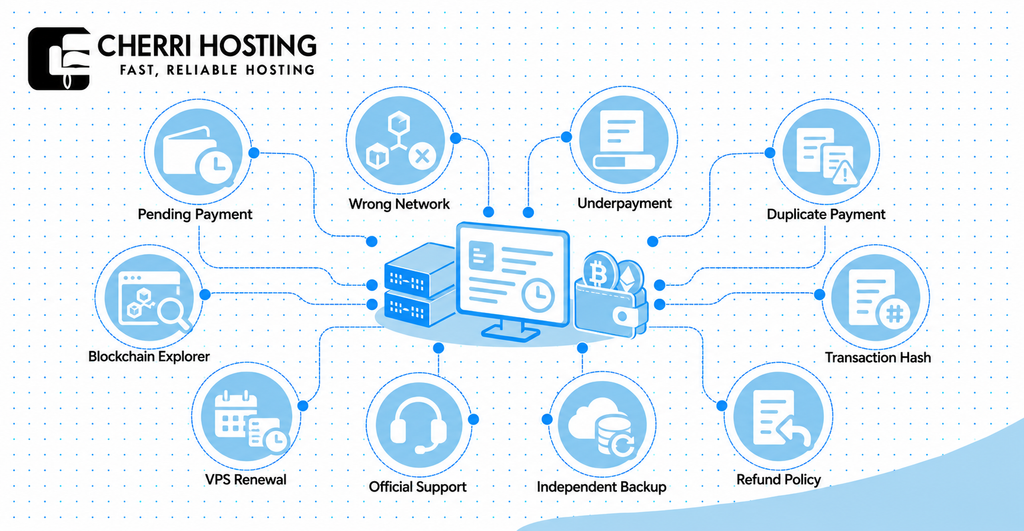
The most common crypto VPS purchasing problems involve pending transactions, incorrect networks, incomplete payments, and billing misunderstandings. These problems do not always indicate fraud or provider failure. Many can be investigated using invoice details and the blockchain transaction record.
What If Your Crypto Payment Is Delayed or Fails?
A pending payment may indicate that the blockchain has not confirmed the transaction. It may also mean the provider’s payment processor has not matched the transfer to its invoice. Bitcoin confirmation time varies according to network activity and transaction fees.
Check your transaction using an appropriate blockchain explorer, such as mempool.space for Bitcoin or Etherscan for Ethereum. Confirm that the amount, address, and network match the original invoice. If payment is confirmed but the invoice remains unpaid, contact support with the transaction hash.
Do not immediately repeat the transfer when an invoice shows as pending. A second payment could result in duplicate charges or an overpayment. Wait for the first transaction’s status to be established.
What Happens If You Use the Wrong Network?
Sending cryptocurrency on an unsupported blockchain can make the payment inaccessible to the recipient. For example, an invoice requesting ERC-20 USDT might not recognize a TRC-20 transfer. A successful transaction on one network does not prove that the hosting provider received its requested payment.
Save the transaction hash, receiving address, and invoice number immediately. Contact official support and explain the asset and network used. Recovery sometimes depends on whether the recipient controls the relevant address and supports the alternative network.
Never assume that an incorrectly routed payment can be refunded. Recovery may be technically impossible or subject to additional charges. Avoid sending another payment until the provider explains the next step.
Underpayments, Refunds, and VPS Renewals
Underpayments occur when the amount received is lower than the amount required by the invoice. Exchange-rate changes or wallet fee deductions can contribute to the difference. Some payment processors also treat expired invoices differently from active ones.
Check the hosting provider’s refund policy before paying. A blockchain transaction cannot be reversed like a normal card chargeback. Any refund usually requires the recipient or payment processor to initiate another transfer.
Keep track of your VPS renewal date and payment method. Missing the renewal deadline may result in suspension or eventual deletion under the provider’s terms. Maintain an independent backup so your important information remains available.
What Can You Use a Crypto VPS For?
A crypto VPS can run websites, business applications, databases, development environments, and permitted blockchain software. The payment method does not restrict the server to cryptocurrency-related projects. Its practical uses depend on available resources, operating system support, and provider policies.
Website Hosting, WordPress, and Online Applications
A VPS can host a WordPress website with software such as Nginx, PHP, and MySQL. You can also operate a WooCommerce store or a custom business application. Full administrative access allows more configuration than typical shared hosting.
For example, a development agency might operate several low-traffic client staging environments on one VPS. Another customer might deploy a Python API with a PostgreSQL database. Both should monitor resource usage and maintain backups as workload grows.
VPS hosting also supports software that requires custom server settings. This might include background workers, scheduled tasks, or particular runtime versions. Check the software’s memory and processing requirements before selecting the plan.
Development, Docker, and Blockchain Projects
Developers can use VPS hosting for code deployment, testing, containerized applications, and backend infrastructure. Docker packages software into containers with its required dependencies. A VPS can run Docker when its operating system, virtualization capabilities, and provider terms permit it.
For example, a developer might run a Node.js API, Redis cache, and PostgreSQL database using Docker Compose. This arrangement simplifies deployment but still requires sufficient RAM and storage. Updates, access security, and backups remain the administrator’s responsibility.
A VPS can also operate certain blockchain applications, including lightweight network services and suitable node configurations. Full blockchain nodes may require substantial disk space, memory, bandwidth, and reliable uptime. Standard low-cost VPS plans should not automatically be considered sufficient.
Cryptocurrency mining is a separate workload with different hardware requirements. CPU-based virtual servers are often unsuitable for profitable mining, especially after electricity-equivalent hosting costs. Always check the provider’s acceptable-use policy before operating mining software.
Frequently Asked Questions
Can I Buy a VPS with Bitcoin Without a Credit Card?
Yes, some hosting providers accept Bitcoin payments without requiring credit card details. You need a compatible wallet and a provider that supports direct BTC purchases. However, the company may still require account information or identity verification.
Can I Buy a VPS with USDT?
Yes, some providers offer VPS hosting payable using USDT. You must confirm the supported blockchain network before transferring funds. For example, an ERC-20 invoice should not be paid using TRC-20 unless the provider explicitly supports that route.
Is Crypto VPS Hosting Anonymous?
No, paying with cryptocurrency does not automatically make VPS hosting anonymous. Bitcoin transactions are publicly recorded, and providers may retain account information. Privacy depends on the chosen cryptocurrency, verification policy, and information shared during purchase.
Is Crypto VPS Hosting Faster Than Regular VPS Hosting?
No, the cryptocurrency payment method does not determine VPS processing speed. Performance depends on hardware, resource allocation, network quality, and server configuration. Compare CPU, RAM, storage, and latency rather than payment method alone.
Can I Install WordPress on a Crypto VPS?
Yes, a crypto-paid VPS can host WordPress when its operating system and resources meet WordPress requirements. A Linux configuration can run a web server, PHP, and a compatible database. You will need to configure and maintain these components unless management is included.
Can I Renew My VPS Using Cryptocurrency?
You can renew with crypto when your hosting provider supports cryptocurrency payments for renewals. Some providers require a new invoice for each billing period. Confirm the renewal process and expiry date to prevent accidental service interruption.
What Happens If My VPS Expires?
An unpaid VPS may be suspended and eventually deleted according to the provider’s retention policy. The exact grace period depends on the hosting contract. Maintain separate backups and renew before the published expiry deadline.
Should I Choose Managed or Unmanaged VPS Hosting?
Choose unmanaged hosting when you can maintain the operating system, firewall, updates, and backups yourself. Managed hosting may suit customers needing assistance with these responsibilities. Compare the provider’s actual management scope because not every task is included.
Final Thoughts
To buy VPS with crypto successfully, check payment compatibility, server specifications, pricing, security, and provider reliability. These five considerations directly affect your purchasing experience and ongoing hosting costs. Choosing the correct blockchain network is just as important as choosing suitable server resources.
Start by confirming that your provider accepts the cryptocurrency you intend to use. Compare VPS configurations against your actual workload and review all billing conditions. Verify security responsibilities, refund terms, and renewal arrangements before paying.
If you are comparing hosting configurations, review CherriHosting’s VPS plans for published resources and monthly pricing. Confirm cryptocurrency checkout availability with CherriHosting before sending digital assets. A carefully checked purchase can help you avoid preventable payment mistakes and choose hosting suited to your needs.