What Is VPS Hosting Used For? 12 Real World Examples
Is your website slowing down, or do you need more control over your hosting? Maybe you’ve tried upgrading your plan, but you’re still facing limits. These problems can affect your visitors, business, or plans to launch new applications.
VPS hosting offers a private server environment with more control and allocated resources. It can support growing websites, online stores, game servers, and custom applications. However, not every project needs a VPS, and choosing incorrectly can increase costs.
So, what is VPS hosting used for, and could it meet your needs? This article explains 12 real world uses, along with the benefits, costs, and limitations. You’ll discover when VPS hosting makes sense and how to choose the right option.
What Is VPS Hosting?
VPS hosting is a service that provides an independent virtual server within a physical machine. VPS stands for Virtual Private Server, which uses virtualization technology to separate server environments. Each VPS has its own operating system and allocated computing resources. These include processing power (CPU), memory (RAM), and storage for website files and applications.
VPS hosting works through software called a hypervisor, which divides a physical server into virtual machines. For example, one physical server might run 4 VPS instances with separate operating systems. Each instance can install compatible software without directly changing another customer’s virtual environment. However, the underlying physical CPU and other hardware may still be shared.
A physical dedicated server provides exclusive access to an entire machine. A VPS provides an isolated virtual environment while sharing the underlying hardware with other customers. This makes VPS hosting useful when shared hosting feels restrictive, but dedicated hardware is unnecessary.
What Is VPS Hosting Used For?
VPS hosting is used for websites, web applications, online stores, game servers, databases, and self hosted services. It allows users to install compatible software, adjust server configurations, and allocate resources to specific workloads. The following 12 real world examples explain where VPS hosting can be useful and what each application requires.
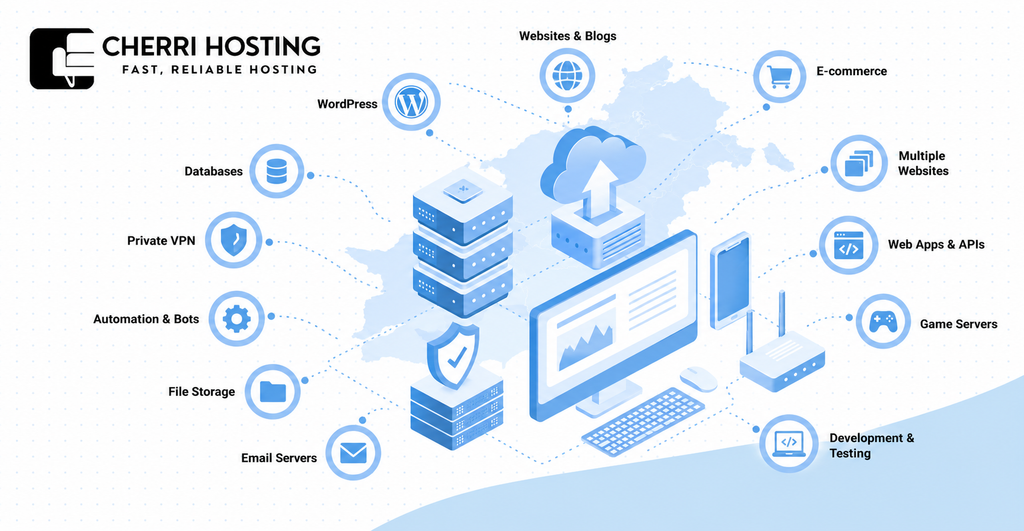
1. Hosting Websites and Blogs
A VPS can host business websites, personal blogs, and content heavy publishing platforms that need greater server control. For example, a news website may experience increased traffic whenever it publishes a popular story. VPS hosting allows administrators to configure caching, PHP settings, and web server software for changing workloads. However, website performance still depends on available resources and efficient application configuration.
Unlike typical shared hosting, VPS hosting gives administrators more freedom to configure Apache or Nginx. These web servers receive visitor requests and deliver website content through an internet connection. A VPS can also support custom software that standard shared hosting packages may restrict.
2. Hosting WordPress Websites
VPS hosting supports WordPress websites that require custom configurations, additional resources, or specialized software. According to W3Techs, WordPress powers 39.7% of surveyed websites as of October 16, 2026. A VPS allows administrators to adjust PHP memory limits, configure caching, and manage database performance. These capabilities can help resource intensive WordPress installations operate more predictably.
For example, a WordPress membership website may process frequent logins, database queries, and personalized content. Administrators can configure tools like Redis to reduce repeated database work when appropriate. However, a small WordPress blog may work perfectly well on shared or managed WordPress hosting.
3. Running E-commerce Stores
A VPS can host online stores built with platforms like WooCommerce, Magento, and PrestaShop. E-commerce websites handle product searches, customer accounts, shopping carts, and payment related processes. These operations can create additional database and processing demands during busy shopping periods.
For example, a WooCommerce store might experience higher resource usage during a promotional sale. A properly sized VPS provides room to configure caching, background jobs, and application memory. However, VPS hosting does not automatically make online payments secure or guarantee uninterrupted checkout availability. Store owners must maintain updated software, encrypted connections, and appropriate payment security practices.
4. Hosting Multiple Websites
One VPS can host multiple websites using separate domains, configurations, and website directories. For example, a web agency could manage 5 client websites on one sufficiently powerful VPS. Each website can use its own domain name, SSL certificate, and application configuration.
Administrators can use control panels like cPanel, Plesk, or DirectAdmin to simplify website management. However, all hosted websites consume resources from the same VPS allocation. Proper account separation and security permissions are important when handling unrelated client websites.
5. Hosting Web Applications and APIs
VPS hosting allows developers to deploy custom applications, backend services, and application programming interfaces (APIs). An API enables different software programs to exchange information through defined requests. Developers can install compatible application environments using tools like Node.js, Python, or PHP.
For example, a booking application might use a VPS to process reservations and manage customer accounts. Its backend can communicate with a database and send information to a mobile application. VPS hosting also supports background processes that need to remain running between visitor requests.
6. Running Game Servers
A VPS can run private multiplayer game servers for supported games like Minecraft, Terraria, and Counter Strike. Players can connect to the hosted server without relying on another player’s home computer. Administrators can configure player permissions, install supported modifications, and control server settings.
For example, a group of friends could host a private Minecraft world on a VPS. The required CPU and RAM depend on player count, installed modifications, and game configuration. Network latency also matters because excessive delay can affect multiplayer gameplay.
7. Software Development and Testing
Developers use VPS hosting to build, test, and deploy software in a controlled server environment. A VPS can run testing software without requiring a dedicated physical machine. Developers can install tools like Git, Docker, and programming environments for Python or Node.js.
For example, a developer might test a redesigned website before updating the production version. Separate testing environments reduce the chance of experimental changes affecting live visitors. VPS hosting can also support automated deployment processes when configured with suitable access controls.
8. Hosting Databases
A VPS can run database software like MySQL, PostgreSQL, and MariaDB for business applications. Databases store structured information, including customer records, product details, and transaction histories. Administrators can configure memory allocation, database permissions, and scheduled maintenance processes.
For example, an inventory management application could use PostgreSQL to track product quantities. The database might run on the same VPS as the application or on a separate server. Sensitive database connections should use authentication, encryption, and restricted network access.
9. Setting Up a Private VPN
A VPS can host a private virtual private network (VPN) using WireGuard or OpenVPN. A VPN creates an encrypted connection between a user’s device and the VPN server. This can help protect traffic while connecting through public networks.
For example, a remote worker could use a VPS hosted VPN to access an approved private service. Administrators can manage user credentials and configure which network resources are accessible. However, a self hosted VPN does not guarantee anonymity or eliminate every online security threat.
10. Running Automation Tools and Bots
A VPS can operate automation software, scheduled tasks, and background services without requiring a personal computer. For example, a business could use n8n to automate order notifications and customer record updates. Developers can also schedule recurring processes using cron, a task scheduler available on Linux.
A VPS can run these processes while the server remains available and correctly configured. Automation workloads may require API access, secret management, and regular software maintenance. Administrators should also monitor resource consumption and handle failed tasks appropriately.
11. Hosting Private File Storage
VPS hosting can support self hosted file storage using software like Nextcloud or Seafile. These platforms allow authorized users to upload, organize, and share digital documents. A business could maintain internal project files without relying entirely on a consumer file-sharing account.
For example, a small design agency could share project documents through a private Nextcloud installation. Administrators can configure user permissions, encrypted connections, and available disk space. Reliable file storage also requires backups kept separately from the main VPS.
12. Running Email Servers
A VPS can run email software like Postfix, Dovecot, and Roundcube for custom domain email services. This gives administrators control over mail server configuration, user accounts, and storage. However, self hosted email requires more maintenance than a fully managed email service.
For example, a company could configure email addresses using its own business domain. Administrators must maintain SPF, DKIM, and DMARC records to support email authentication and delivery. They must also monitor spam protection, server security, IP reputation, and provider restrictions.
What Are the Benefits of VPS Hosting?
The main benefits of VPS hosting include greater control, resource isolation, flexible software installation, and adjustable server capacity. These features allow users to configure hosting environments around their actual technical requirements. VPS hosting can also reduce hardware expenses compared with renting an entire dedicated server.
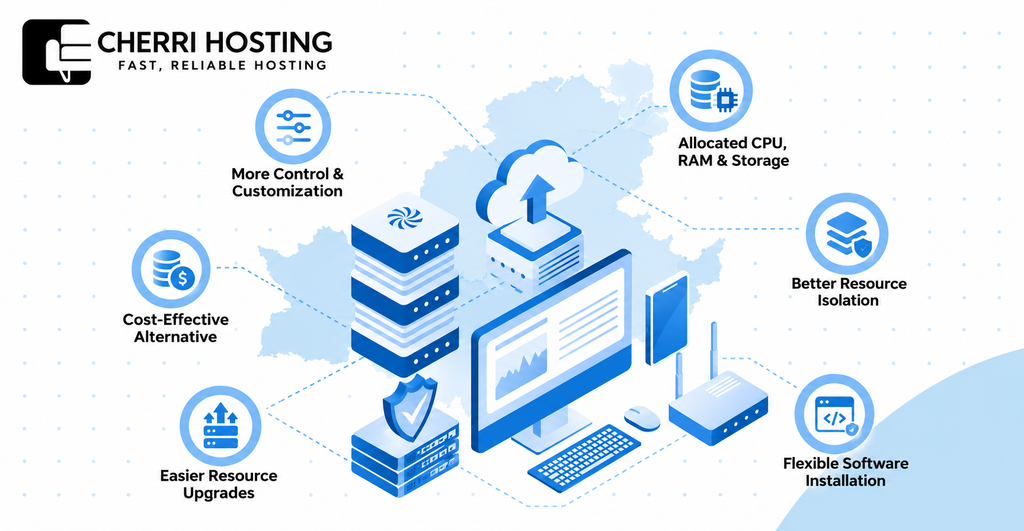
1. More Control and Customization
VPS hosting typically provides root or administrator access for configuring the server environment. You can change operating system settings, install supported software, and manage security configurations. For example, developers can configure Nginx for a custom application or adjust PHP settings for WordPress.
2. Allocated CPU, RAM, and Storage
A VPS provides defined CPU, RAM, and storage allocations according to the selected plan. For example, a plan might include 2 vCPUs, 4 GB RAM, and 80 GB SSD storage. These allocations help users understand the computing capacity available to their applications. However, virtual CPU capacity may share physical processing hardware with other customers.
3. Better Resource Isolation
VPS hosting separates your operating environment from other virtual servers on the physical machine. This reduces direct interference between neighboring applications and operating systems. For example, another customer’s website cannot directly use the memory allocated to your virtual machine. However, shared physical hardware can still create performance limitations under certain conditions.
4. Flexible Software Installation
A VPS allows administrators to install compatible software unavailable on restrictive shared hosting plans. Developers can run technologies like Docker, Redis, PostgreSQL, and Node.js when supported. For example, an application might use Redis to cache frequently requested information. Software availability still depends on operating system compatibility and provider policies.
5. Easier Resource Upgrades
VPS hosting commonly allows users to increase CPU, RAM, or storage as workload requirements grow. For example, a website might move from 2 vCPUs and 4 GB RAM to a larger configuration. Resource upgrades can help when monitoring identifies insufficient computing capacity. However, certain upgrades require downtime, migration, or additional charges.
6. Cost Effective Alternative to Dedicated Hosting
A VPS provides independent server administration without renting an entire physical machine. Virtualization allows hosting providers to operate separate environments on shared hardware. For example, a business application might need 4 vCPUs rather than an entire dedicated server. The final savings depend on required performance, software licensing, and management expenses.
VPS Hosting vs. Shared, Cloud, and Dedicated Hosting
VPS hosting offers greater server control than shared hosting while using different infrastructure from dedicated hosting. Cloud hosting can provide flexible computing environments and support distributed applications. Each hosting category has different pricing, management, and availability characteristics.
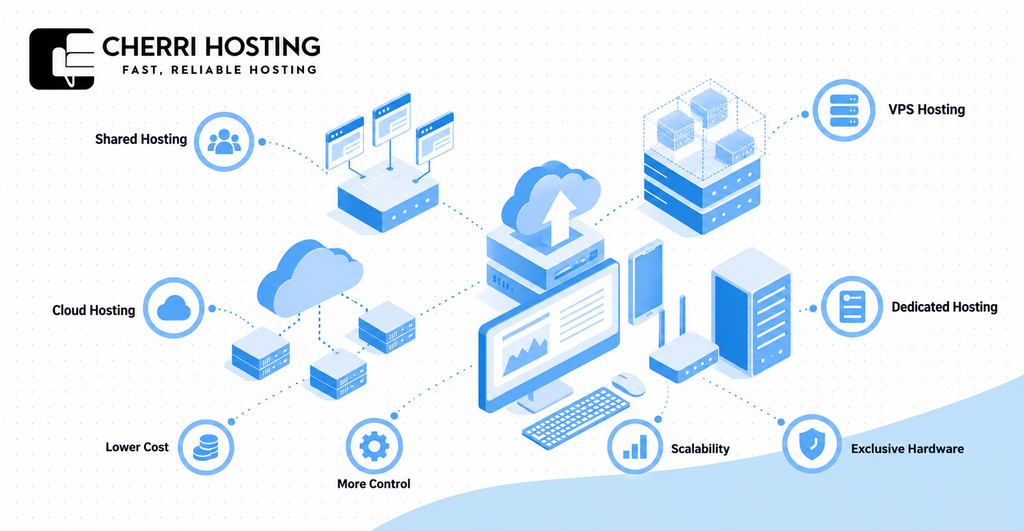
1. Shared Hosting vs. VPS Hosting
Shared hosting provides a managed environment with common server resources, while VPS hosting offers greater isolation and control. Shared hosting generally costs less and is easier for beginners to manage. For example, a personal blog may work well on shared hosting, while a custom application may require VPS access.
2. VPS Hosting vs. Cloud Hosting
Traditional VPS hosting usually relies on one physical host, while cloud infrastructure can provide broader resource flexibility. Cloud hosting may offer automated provisioning, flexible billing, and redundancy across separate machines. For example, an application requiring rapid scaling may benefit from a suitable cloud architecture. However, cloud hosting does not automatically provide failover, and cloud virtual machines can also function as VPS environments.
3. VPS Hosting vs. Dedicated Hosting
VPS hosting uses virtualized resources, while dedicated hosting provides exclusive access to physical server hardware. A dedicated server can suit applications requiring substantial computing capacity or specialized hardware configurations. For example, a large database workload may require hardware unavailable in a standard VPS plan. Dedicated hosting generally involves higher infrastructure costs, although actual pricing depends on specifications.
4. Which Hosting Type Should You Choose?
Choose hosting according to your workload, budget, management requirements, and availability expectations. A simple portfolio website may not need the customization provided by a VPS. A growing online store or custom application may benefit from VPS hosting’s administrative flexibility.
| Hosting type | Suitable use | Main consideration |
| Shared hosting | Personal blogs and small websites | Lower cost and limited configuration freedom |
| VPS hosting | Growing websites and custom applications | Allocated resources and administrative control |
| Cloud hosting | Workloads needing flexible infrastructure | Scalability, architecture, and pricing complexity |
| Dedicated hosting | Resource intensive or specialized workloads | Exclusive physical hardware and higher costs |
No hosting category guarantees performance or availability by itself. Reliability depends on provider infrastructure, application design, and recovery procedures. Compare the actual service terms before making a hosting decision.
Who Should Use VPS Hosting?
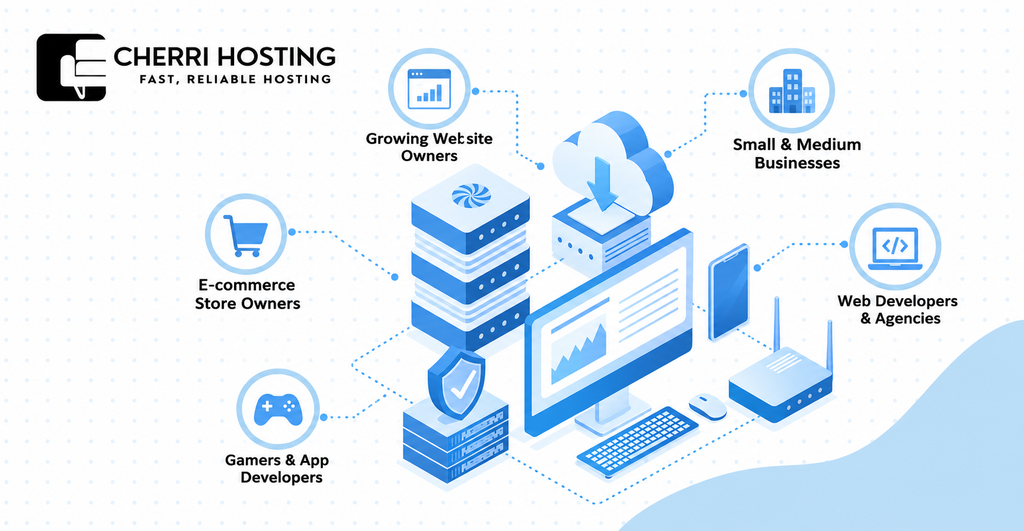
VPS hosting suits growing website owners, businesses, online stores, developers, and gamers who need additional server control. It is especially relevant when shared hosting cannot meet software or resource requirements. However, users with basic websites may not need a VPS.
1. Growing Website Owners
Growing website owners should consider VPS hosting when their current plan regularly reaches resource limits. For example, a WordPress publisher may experience recurring CPU restrictions during busy periods. A VPS provides more configuration flexibility and clearly defined resource allocations. However, performance measurements should confirm whether additional server capacity will help.
2. Small and Medium Sized Businesses
Businesses can use VPS hosting for websites, customer portals, and internal management applications. For example, a company might operate a customer portal alongside an internal inventory system. VPS hosting allows administrators to configure compatible software for these specific requirements. Businesses without server administration experience may benefit from managed VPS support.
3. E-commerce Store Owners
E-commerce businesses may need VPS hosting when product catalogs, customer activity, and database workloads become demanding. For example, a WooCommerce store might require additional memory during promotional campaigns. A VPS provides flexibility for configuring caching and database processes. However, checkout security and reliable backups remain separate responsibilities.
4. Web Developers and Agencies
Developers and agencies use VPS hosting to deploy applications and manage client websites. For example, an agency could host 5 client websites on one properly sized VPS. Developers can install software like Docker, Node.js, and PostgreSQL according to project requirements. Proper account isolation and maintenance remain important when hosting unrelated client projects.
5. Gamers and Application Developers
Gamers and application developers can use VPS hosting for multiplayer servers and persistent backend services. A gamer might host Minecraft, while an application developer might deploy a Python API. Both projects benefit from control over installed software and server processes. However, suitable CPU capacity, RAM, and network performance differ between these workloads.
When Should You Upgrade to VPS Hosting?
Upgrade to VPS hosting when your current plan limits essential performance, software installation, or server configuration. Recurring resource problems are more meaningful than occasional slow page loads. Before upgrading, identify whether the hosting environment is causing the limitation.
1. Your Website Frequently Reaches Resource Limits
Consider a VPS when your hosting dashboard repeatedly reports CPU, memory, or process limits. For example, an online store may encounter errors during busy shopping periods. A VPS can provide a larger resource allocation for the affected application. However, inefficient software should also be investigated before increasing capacity.
2. Your Applications Need Custom Software
VPS hosting becomes useful when shared hosting prevents required software installation or server configuration. For example, a developer may need Docker, Redis, or a particular Node.js version. VPS administrative access can support these requirements when the provider permits them. This avoids depending entirely on preset shared hosting configurations.
3. Your Hosting Struggles With Growing Workloads
Consider upgrading when increasing workload consistently causes slow server responses or application failures. For example, a membership website may slow down when numerous users log in simultaneously. Use server monitoring and tools like Google PageSpeed Insights to investigate performance. Slow images, inefficient database queries, and missing caching can also cause delays.
4. You Need Greater Security Configuration Control
A VPS can help when your project requires server level security controls unavailable on shared hosting. For example, a business application may need custom firewall rules and restricted database access. Administrators can configure these protections and manage authorized server connections. However, greater control also increases responsibility for maintaining secure configurations.
5. When You May Not Need VPS Hosting Yet
You may not need VPS hosting if your current plan handles your website reliably. For example, a small portfolio website may require minimal computing capacity and no custom server software. Shared hosting or managed WordPress hosting can be simpler and less expensive. Upgrade when measurable requirements justify the additional cost and maintenance.
What Are the Disadvantages of VPS Hosting?
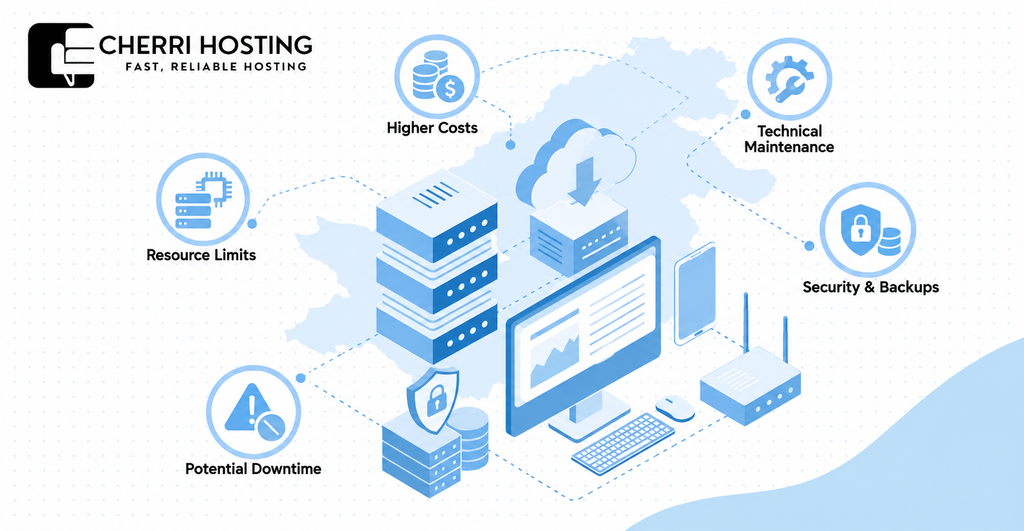
The main disadvantages of VPS hosting are higher costs, technical responsibilities, resource limits, and possible downtime. A VPS offers greater control, but that control requires maintenance and informed configuration. Understanding these limitations helps prevent unnecessary expenses and operational problems.
1. Higher Costs Than Shared Hosting
VPS hosting generally costs more than basic shared hosting because it provides greater resource allocation and control. A VPS with 2 vCPUs and 4 GB RAM may cost more than a basic shared plan. Additional costs can include control panel licenses, backup storage, and managed support. Compare the complete monthly expense rather than the advertised starting price.
2. Technical Knowledge and Maintenance Requirements
Unmanaged VPS hosting requires knowledge of server installation, configuration, monitoring, and troubleshooting. For example, a Linux administrator may use SSH to install Nginx and maintain system packages. Incorrect configuration can cause application failures or expose security weaknesses. Managed hosting reduces certain responsibilities, depending on the provider’s support agreement.
3. Security and Backup Responsibilities
A VPS requires regular security maintenance, including operating system updates, firewall configuration, and reliable backups. For example, an exposed administrative interface can increase unauthorized access risks. Administrators should restrict unnecessary ports and protect login credentials. Backups should also be stored separately and tested for successful restoration.
4. Limited CPU, RAM, and Storage Capacity
Every VPS plan has defined resource limits that restrict the workload it can handle. For example, a 2-vCPU server with 4 GB RAM may struggle with memory intensive applications. Exhausted memory can cause failed processes, slow responses, or service interruptions. Resource monitoring helps determine whether optimization or an upgrade is necessary.
5. Potential Downtime and Hardware Failures
A VPS can experience downtime caused by hardware failure, network disruption, maintenance, or software errors. A traditional VPS may become unavailable when its underlying physical server fails. According to Uptime Institute’s 2026 outage analysis, 57% of surveyed respondents reported major outages costing over $100,000. That statistic concerns surveyed organizations, not the expected cost of a small VPS outage.
How to Choose the Right VPS Hosting for Your Needs
Critical applications may require redundant servers and a documented recovery plan. For example, a secondary instance can reduce dependence on one server when configured appropriately. Regular backups and restore testing help reduce the consequences of data loss.
Choose VPS hosting by evaluating CPU, RAM, storage, management, security, reliability, server location, and total cost. Your choice should reflect the application you intend to run and its actual workload. Avoid paying for unused capacity or selecting a plan that cannot support essential software.
1. Choose the Right CPU, RAM, and Storage
Select VPS resources according to application workload rather than advertised specifications alone. CPU processes instructions, RAM holds active data, and storage contains website files and databases. For example, a modest WordPress installation might start with 2 vCPUs, 4 GB RAM, and 50 GB SSD. This is an illustrative configuration, not a universal requirement.
Monitor memory usage, processing load, storage capacity, and network transfer after deployment. An online store or database intensive application may require different resources. Upgrade when monitoring identifies a consistent bottleneck.
2. Managed vs. Unmanaged VPS Hosting
Choose managed VPS hosting for administration assistance or unmanaged VPS hosting when you can maintain the server yourself. Managed plans may cover operating system updates, monitoring, troubleshooting, or selected security tasks. For example, a small company without technical staff may prefer managed hosting.
Unmanaged hosting gives administrators greater responsibility for software configuration and maintenance. It may cost less, but you must handle the work yourself or hire technical assistance. Check the provider’s service description because managed support does not always include every application.
3. Linux vs. Windows VPS Hosting
Choose Linux for compatible open source applications or Windows Server for software requiring Microsoft’s operating system. Linux distributions like Ubuntu and Debian support WordPress, Nginx, PostgreSQL, and many development environments. For example, a PHP website can run on Ubuntu using Nginx.
Windows VPS hosting supports Windows dependent applications, including selected ASP.NET and Microsoft SQL Server workloads. Windows Server licensing may increase monthly hosting costs. Choose the operating system based on application compatibility, licensing, and administrator experience.
4. Check Uptime, Backups, and Security
Choose a provider offering documented uptime commitments, backup options, and clear security responsibilities. A 99.9% uptime target allows approximately 43.2 minutes of downtime during a 30 day month. However, service level agreements define specific conditions and remedies rather than guaranteeing uninterrupted operation.
Check whether backups are automatic, stored separately, and available for restoration. Review firewall options, DDoS protection, access controls, and server recovery support. Critical applications may also require redundancy across separate infrastructure.
5. Consider Server Location and Technical Support
Choose a server location that provides suitable network latency for your intended audience. For example, a website serving German customers may benefit from a European data center. Physical distance affects network latency, although routing and network quality also matter.
Check available support methods, including email, support tickets, and live chat. Also review data transfer allowances, upgrade options, and renewal pricing. These details can affect long term hosting reliability and cost.
How Much Does VPS Hosting Cost?
VPS hosting can start near $4 monthly, while larger or managed configurations may cost $100 or more. Actual pricing depends on resource allocation, CPU type, software licensing, and support. For example, DigitalOcean advertises basic virtual machines starting at $4 per month. Prices vary by provider and should be verified before purchasing.
1. What Affects VPS Hosting Prices?
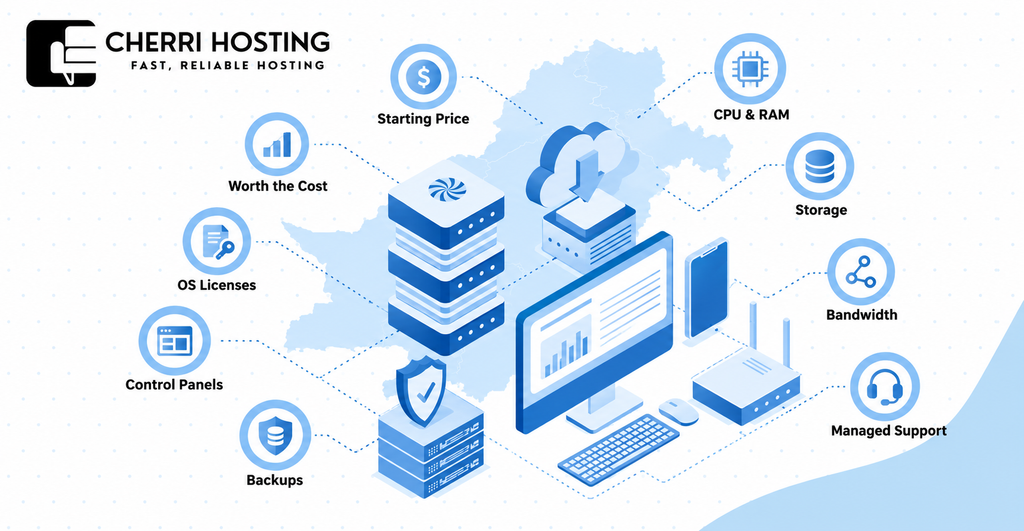
VPS pricing depends primarily on CPU, RAM, storage, bandwidth, and service management. A plan with greater memory and processing capacity generally costs more. Dedicated CPU allocations may also cost more than shared virtual CPU configurations.
For example, DigitalOcean lists a basic 1-GiB, 1-vCPU Droplet at $6 monthly. Its basic 2-vCPU, 4-GiB configuration costs $24 monthly. These published figures illustrate resource based pricing rather than CherryHosting’s own prices.
2. Additional VPS Hosting Costs to Consider
A VPS may involve additional expenses for backups, control panels, operating system licenses, and technical assistance. For example, cPanel or Plesk can require paid licenses when unavailable in the hosting package. Windows Server may also introduce licensing costs.
Some providers charge separately for additional storage or data transfer beyond included allowances. Managed administration may increase the overall monthly expense. Review the complete pricing terms before selecting a plan.
3. Is VPS Hosting Worth the Money?
VPS hosting is worth considering when its added control and resources solve a specific hosting requirement. For example, a custom Node.js application may need background processes unavailable on shared hosting. A growing WooCommerce store may also benefit from greater server configuration flexibility.
However, a simple blog may not need the extra computing capacity. Unmanaged VPS hosting can also introduce maintenance costs that offset savings. Compare the total expense with the practical benefits your project will receive.
Frequently Asked Questions About VPS Hosting
Can Beginners Use VPS Hosting?
Yes, beginners can use VPS hosting, particularly when choosing an appropriate managed plan. Managed VPS services may include system maintenance and technical assistance. Unmanaged hosting requires more knowledge of server configuration, security, and troubleshooting.
Can I Host Multiple Websites on One VPS?
Yes, a VPS can host multiple websites when sufficient computing resources are available. For example, one VPS might host 3 WordPress websites with separate domain names. All 3 websites share the virtual server’s allocated capacity and require appropriate security separation.
Can I Run WordPress on a VPS?
Yes, WordPress can run on a VPS using compatible web server, PHP, and database software. For example, Ubuntu can host WordPress with Nginx, PHP, and MySQL. VPS hosting is particularly useful when custom configurations or additional processing capacity are required.
Can VPS Hosting Handle High Website Traffic?
Yes, a properly configured VPS can handle substantial website traffic within its available capacity. For example, caching can reduce repeated database work on a busy WordPress website. Actual performance depends on application efficiency, CPU capacity, RAM, and traffic patterns.
Do I Need Coding Skills to Use VPS Hosting?
No, coding knowledge is not always required to use VPS hosting. Control panels like cPanel and Plesk provide graphical website management tools. However, unmanaged VPS administration requires technical skills even when no application programming is involved.
Is VPS Hosting Secure?
VPS hosting provides environment isolation, but security depends on configuration and ongoing maintenance. Administrators should enable software updates, firewall protection, and secure authentication. For example, SSH keys and restricted network access can help protect Linux server administration.
Can I Use a VPS as a Remote Desktop?
Yes, a VPS can provide remote desktop access when its operating system supports graphical sessions. Windows Server can use Remote Desktop Protocol, while Linux can support tools like XRDP. Check licensing, memory requirements, provider policies, and remote access security before deployment.
Is VPS Hosting Still Worth Using in 2026?
Yes, VPS hosting remains useful in 2026 for websites and applications requiring server control and customization. For example, businesses can host online stores, while developers can deploy custom APIs. However, shared hosting and managed platforms may remain more suitable for simpler projects.
Final Thoughts: Is VPS Hosting Right for You?
VPS hosting is right for you when your project needs more control, flexibility, or computing capacity than shared hosting provides. Its 12 practical applications range from WordPress and e-commerce hosting to databases, automation, and game servers. These capabilities make it useful for website owners, developers, and businesses with specific technical requirements.
Before upgrading, identify your current hosting limitations and estimate the resources your workload needs. Consider CPU, RAM, storage, technical support, security responsibilities, and total monthly cost. A managed VPS may be suitable if you need server administration assistance.
Choose VPS hosting when its features address a real requirement rather than simply offering higher advertised specifications. Shared hosting may remain sufficient for a small website with basic needs. Compare suitable plans, verify provider commitments, and select an environment that matches your project’s requirements.