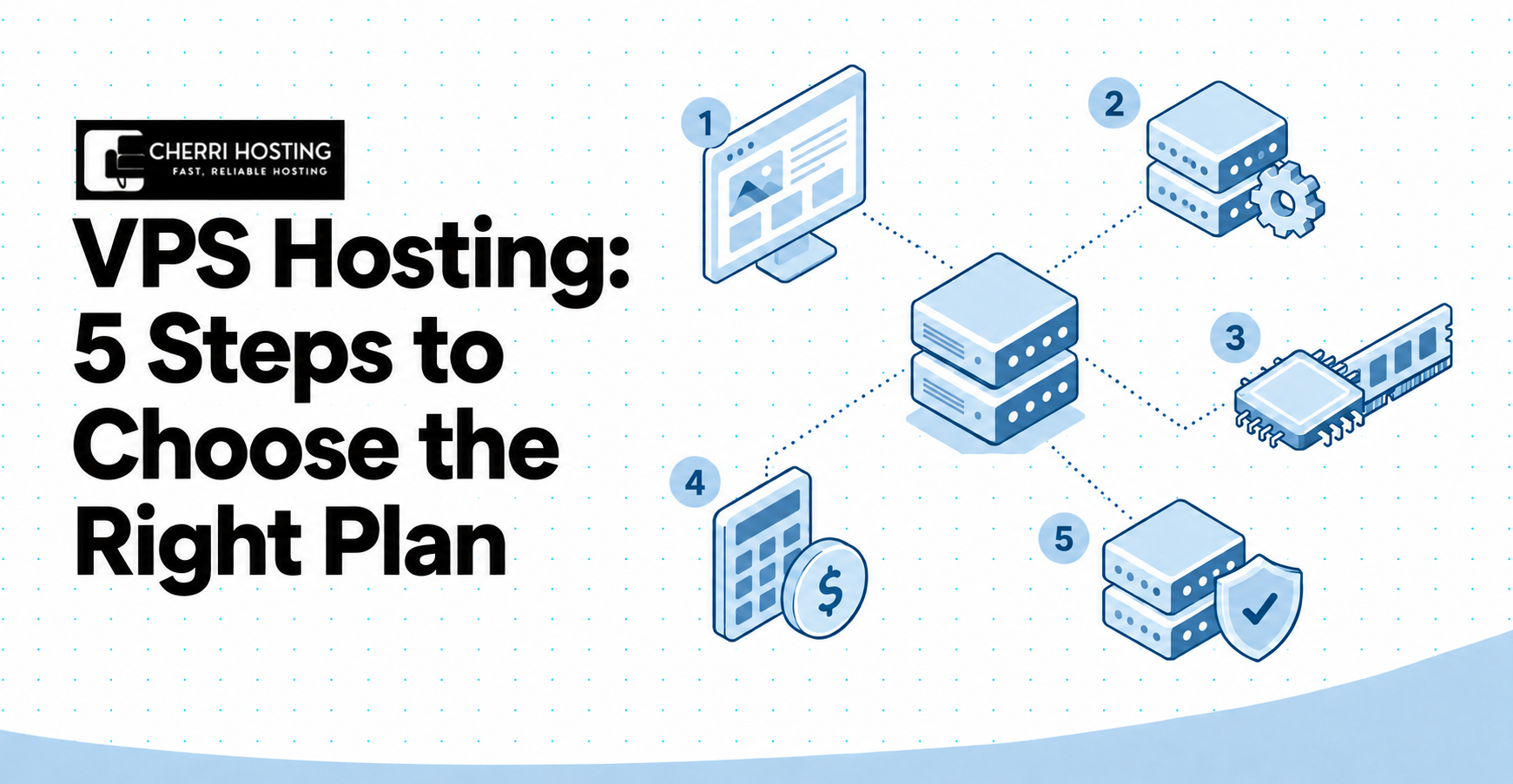
VPS Hosting: 5 Steps to Choose the Right Plan
Your website slows down whenever traffic increases, but which hosting upgrade will actually help? You have tried quick fixes, yet the same problem returns during a busy period. Now you are considering VPS hosting, unsure which plan your website needs.
A poor choice could leave you paying more while your website remains slow. An unmanaged server could also require maintenance you cannot confidently perform. Comparing the advertised price alone will not reveal either problem.
These five steps help you decide whether a VPS fits your website and your experience. You will compare management, choose capacity, calculate cost, and evaluate the provider. You will also learn how to prepare for migration, security, backup, and growth.
What Is VPS Hosting, and How Does It Work?
VPS hosting provides an isolated virtual server with its own operating environment and allocated computing capacity. VPS stands for virtual private server. Virtualization software divides a physical machine into separate virtual environments, such as your server and another customer’s server.[1]
Your VPS runs an operating system, such as Ubuntu or Windows Server. Its allocation includes processing capacity, memory, and storage. The underlying hardware can still serve another customer, so a VPS is different from an entire dedicated machine.
Root access means administrative control over a Linux server. You can install software, configure the web server, and change security settings, such as SSH access. That control also creates responsibility because an incorrect change can interrupt your website.
Isolation does not mean every part of the infrastructure is physically exclusive. CPU availability, disk performance, and network capacity depend on the provider’s architecture and allocation policy. Check the actual specification rather than interpreting “private” as complete hardware separation.
Step 1: Decide Whether VPS Hosting Fits Your Needs
Choose VPS hosting when your workload requires additional capacity, custom configuration, or administrative control unavailable through your current hosting. Start with the application you operate, such as a WordPress blog or WooCommerce store. Then identify the limitations you need to remove.
A business brochure website may remain suitable for shared hosting. A custom booking application may require a background process or software version that shared hosting does not permit. The useful distinction is the workload requirement, rather than the website’s age.
Identify your workload before comparing a plan. A cached blog, an online store, and a video-processing application use computing capacity differently. The following examples show what to investigate before purchasing.
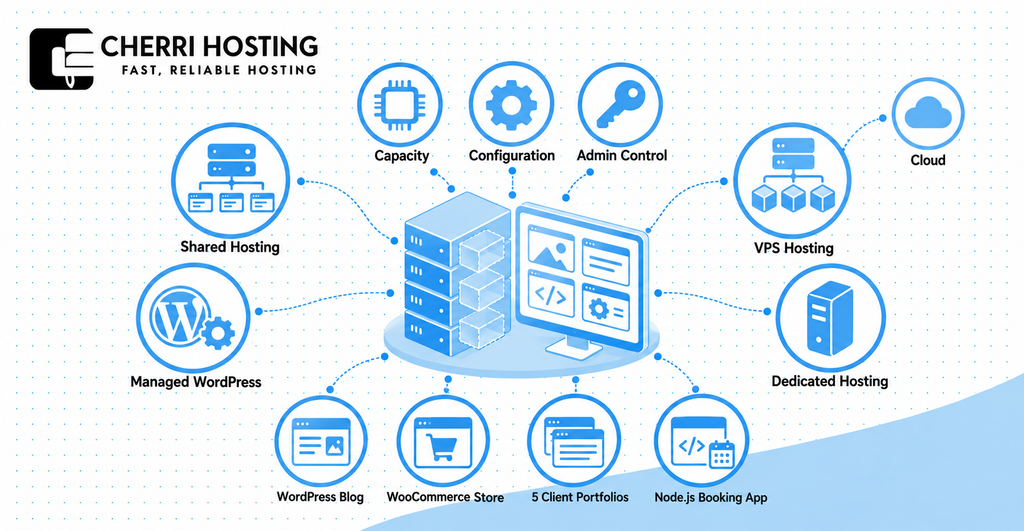
| Workload example | Requirement to investigate | Decision implication |
| WordPress blog | Cached page delivery and administration speed | Optimize caching before assuming a server upgrade is necessary |
| WooCommerce store | Checkout, database activity, and simultaneous purchasing | Test uncached activity during expected peak demand |
| 5 client portfolios | Account separation and recovery ownership | Evaluate control-panel licensing and isolation between client accounts |
| Node.js booking application | Runtime compatibility and background processing | Confirm permission to install and configure the required software |
Compare hosting by control, infrastructure, and maintenance responsibility. Shared hosting, VPS hosting, and dedicated hosting describe different arrangements for allocating server capacity. Managed WordPress hosting describes a specialized service whose underlying infrastructure can vary.
| Hosting option | What it provides | Example fit |
| Shared hosting | Provider-operated hosting with restricted server control | A brochure website without custom server configuration |
| VPS hosting | An isolated virtual server with allocated computing capacity | A booking application requiring a custom runtime |
| Dedicated hosting | An entire physical machine reserved for your use | A workload requiring physical hardware isolation |
| Managed WordPress hosting | WordPress-focused operation and support within an agreed scope | A publisher seeking application-specific maintenance assistance |
Cloud infrastructure and VPS hosting can overlap. A provider can deliver your virtual server through its cloud platform, as AWS explains.[2] A cloud label alone does not establish automatic failover, unlimited scaling, or guaranteed application availability.
Review evidence from your existing hosting, such as a memory-limit warning or repeated CPU throttling. Check whether inefficient application behavior explains the problem before migrating. A slow database query can remain slow after moving to a larger server.
A VPS adds unnecessary expense when your existing hosting already meets your configuration and performance requirements. It can also add administration that a managed website service previously handled. If your only requirement is WordPress maintenance, compare managed WordPress hosting before selecting an unmanaged VPS.
Step 2: Choose Your Management Level
Choose management according to your server knowledge, available maintenance time, and required support coverage. The three approaches to compare are unmanaged hosting, human-managed service, and AI-assisted administration. Their responsibility boundaries matter more than the marketing label.
Unmanaged hosting makes you responsible for software administration. The provider generally operates the physical infrastructure, while you maintain your operating system and application environment. Hostinger’s documentation describes this separation for its self-managed service.[3]
Human-managed service assigns agreed maintenance work to the provider or an external administrator. Coverage might include operating-system patching and service monitoring while excluding custom application repair. Ask whether a failed WooCommerce checkout falls within the support agreement.
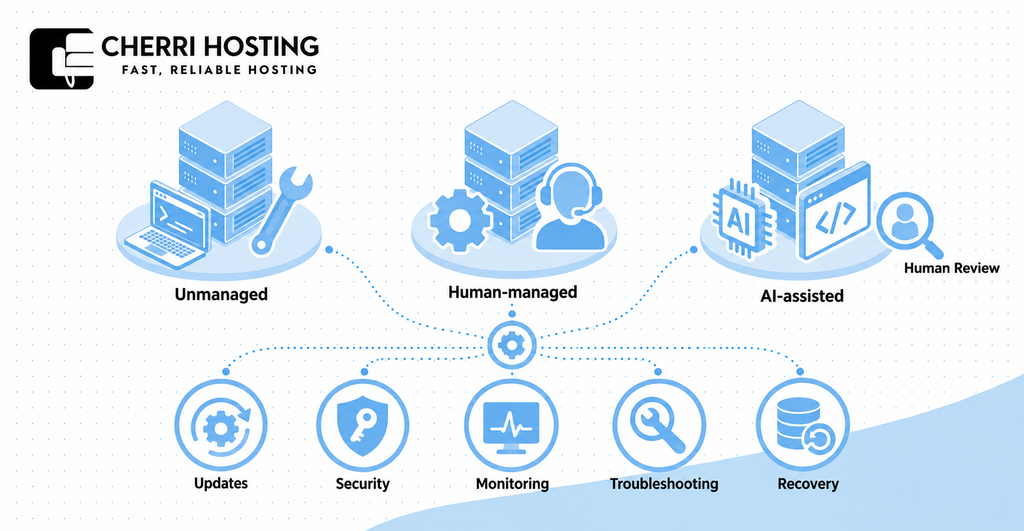
AI assistance can help administer a server without replacing an accountable human maintenance service. An assistant may explain a log entry or execute a configuration change. Confirm who verifies its work and handles recovery when the change fails.
| Maintenance responsibility | Unmanaged | Human managed | AI assisted |
| Operating-system patch, such as an Ubuntu security update | You install and verify | Provider handles agreed coverage | Confirm execution, scheduling, and verification ownership |
| Security configuration, such as SSH access restriction | You configure and review | Provider handles agreed protection | Confirm human oversight and escalation |
| Monitoring, such as memory-exhaustion detection | You configure detection and response | Check whether corrective action is included | Check whether instruction is required |
| Troubleshooting, such as an HTTP 500 error | You investigate | Provider investigates within scope | Confirm access to human assistance |
| Recovery, such as database restoration | You arrange and test | Check restoration scope and fee | Confirm restore verification responsibility |
Security maintenance needs an assigned owner. Verizon’s 2025 investigation identified vulnerability exploitation as an initial attack vector in 20% of confirmed data breaches.[4] That statistic describes its investigation dataset, rather than VPS hosting specifically.
Choose unmanaged hosting if you can diagnose a failed deployment, restrict administrative access, and restore a database. Choose human-managed service if you require contracted maintenance without providing your own administrator. Use AI assistance where you can verify the result or obtain qualified escalation.
Support availability is different from a repair commitment. A 24/7 contact channel does not establish a guaranteed response or resolution time. Confirm the escalation route and identify who can act during your own absence.
Step 3: Match Resources and Software to Your Workload
Match server capacity and software to application requirements, measured usage, and expected peak activity. Account for the operating system, database, and control panel before estimating application capacity. Buying a larger allocation without measurement can increase cost without removing the bottleneck.
CPU, RAM, Storage, and Bandwidth
Choose CPU allocation according to how consistently your application needs processing power. A virtual CPU, or vCPU, represents processing capacity assigned to your server. The vCPU count alone does not explain processor speed or sustained availability.
Shared CPU allocation shares processing access with another virtual server. Dedicated CPU allocation reserves processing capacity according to the provider’s policy. DigitalOcean documents this distinction, but a dedicated vCPU does not mean exclusive use of an entire physical machine.[5]
RAM must accommodate the software running simultaneously, such as PHP, MySQL, and your control panel. A database can consume more memory during peak activity than during an idle period. Examine peak consumption rather than relying only on a dashboard’s daily average.
Use an illustrative configuration to understand what a specification means. The example below is a testing candidate, not a universal recommendation or measured capacity result. Validate it against your own application before treating it as sufficient.
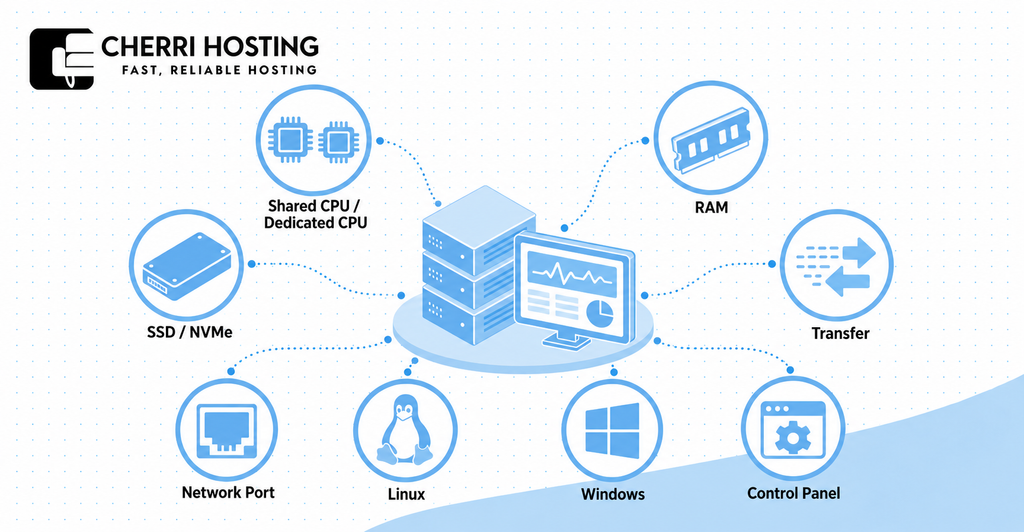
| Resource | Illustrative allocation | What to verify |
| CPU | 2 vCPUs | Allocation policy and processing demand during checkout |
| Memory | 4 GB RAM | Peak consumption across the operating system, database, and application |
| Storage | 80 GB | Usable capacity after installation, application data, and temporary backup |
| Transfer | 2 TB monthly | Counted traffic direction, excess-use treatment, and billing measurement |
| Network port | 1 Gbps | Actual throughput, routing, and any shared network limitation |
Estimate storage from the data you actually retain. An illustrative 20 GB website, 10 GB database, and 15 GB temporary backup already require 45 GB. That total excludes the operating system, software installation, and future growth.
SSD describes solid-state storage, while NVMe describes a protocol used to access compatible SSD storage. An NVMe label alone does not establish website speed. Disk latency, throughput limits, and database behavior also affect the result.
Distinguish connection speed from transfer allowance. A 1 Gbps port describes network speed, while 2 TB describes a transfer quantity. Check whether outbound traffic alone counts and what happens after the allowance is exhausted.
For a cached blog, test whether caching reduces server processing before increasing CPU allocation. For WooCommerce, test checkout activity because personalized processing differs from cached page delivery. For video encoding, measure sustained CPU consumption during a complete processing job.
Do not promise a fixed visitor capacity from RAM or vCPU count. Monthly traffic does not reveal concurrency, page complexity, or caching behavior. Test a defined workload and record response time, memory consumption, and CPU usage together.
Operating System and Control Panel
Choose an operating system supported by your application and administration software. WordPress commonly runs on Linux with PHP and a compatible database. An application requiring Windows-specific .NET Framework functionality needs a compatible Windows environment.
Modern .NET can run on Linux when the application and its dependencies support it. Therefore, a .NET label alone does not establish a Windows requirement. Check the application’s documented compatibility before purchasing either operating system.
Include control-panel overhead and licensing in your selection. cPanel’s Ubuntu documentation specifies 2 GB minimum RAM and recommends 4 GB.[6] Those installation requirements do not establish how much additional website activity the server can handle.
Compare the administration function you need, such as domain configuration or database management. Confirm the panel supports your selected operating-system version and intended account count, such as 5 client accounts. A panel does not automatically include human maintenance or application troubleshooting.
Step 4: Calculate the Full Cost
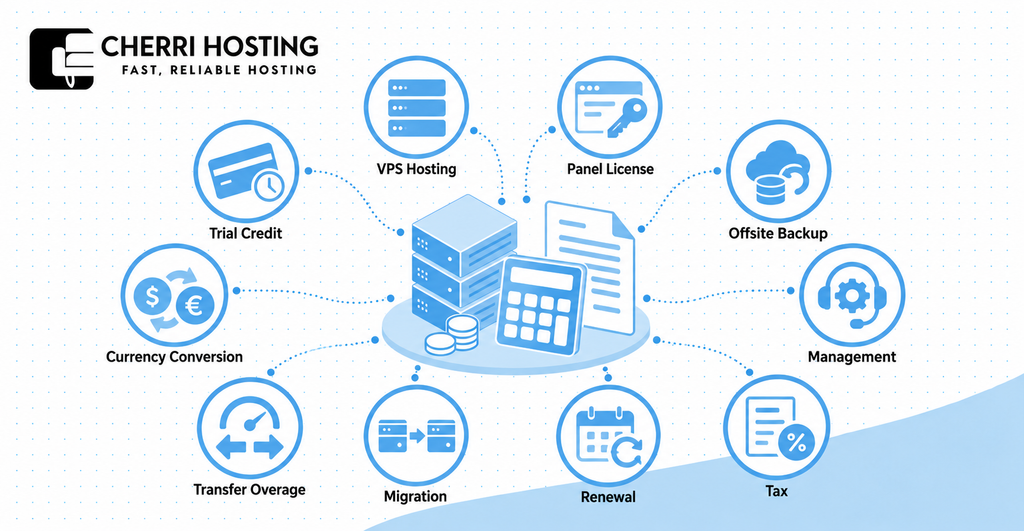
Calculate the full cost across a defined billing period, including hosting, licensing, backup, management, and applicable tax. Compare the initial amount payable with the renewal total. Keep recurring expenditure separate from a one-time migration charge.
Build a Complete Cost Estimate
An advertised monthly equivalent may require upfront payment. An illustrative $10 monthly rate over a prepaid 24-month term requires $240 before tax. Monthly billing at $10 requires a smaller initial payment, even when the monthly equivalent is identical.
On October 17, 2026, Hostinger’s Pakistan page displayed KVM 1 at Rs.2,099 monthly, renewing at Rs.3,399 monthly.[7] The renewal rate is approximately 62% higher, calculated from that published pair. Confirm the selected term and final payable amount because the offer can change.
The following budget is hypothetical and does not quote a provider. Its 10% tax assumption exists solely to demonstrate the calculation. Actual taxation depends on billing location, service treatment, and the provider’s invoice.
| Cost item | Illustrative monthly amount |
| VPS hosting | $15 |
| Control-panel license | $10 |
| Offsite backup storage | $5 |
| Server management | $20 |
| Subtotal | $50 |
| Illustrative tax at 10% | $5 |
| Total | $55 |
The illustrative budget totals $660 annually if pricing remains unchanged. Add a one-time migration charge separately when applicable. Avoid paying twice for a service already included, such as backup storage or panel licensing.
Check variable expenditure, such as transfer beyond a 2 TB allowance. For foreign-currency billing, account for any bank conversion charge. Include your administration time when comparing self-management with paid maintenance.
Check Cheap Hosting and Free-Testing Conditions
Evaluate a low-priced plan against the workload and support scope you already identified. Its price may reflect shared CPU allocation, restricted transfer, or excluded management. Verify the actual specification rather than assuming every inexpensive plan makes the same compromise.
A money-back guarantee is different from free promotional credit. Refund eligibility depends on the service agreement, while credit offsets eligible usage until exhaustion or expiry. Neither arrangement necessarily provides permanently free hosting.
Check the exact offer attached to your account. DigitalOcean’s signup-credit documentation describes a $5 credit expiring after 90 days.[8] That example does not establish the terms of a separate referral or promotional offer.
Before testing, confirm payment verification, credit expiry, and automatic charging. Check whether shutdown stops billing or whether resource deletion is required. Also check whether retained storage, such as a snapshot, continues generating a charge after server deletion.
Step 5: Check the Provider Before You Commit
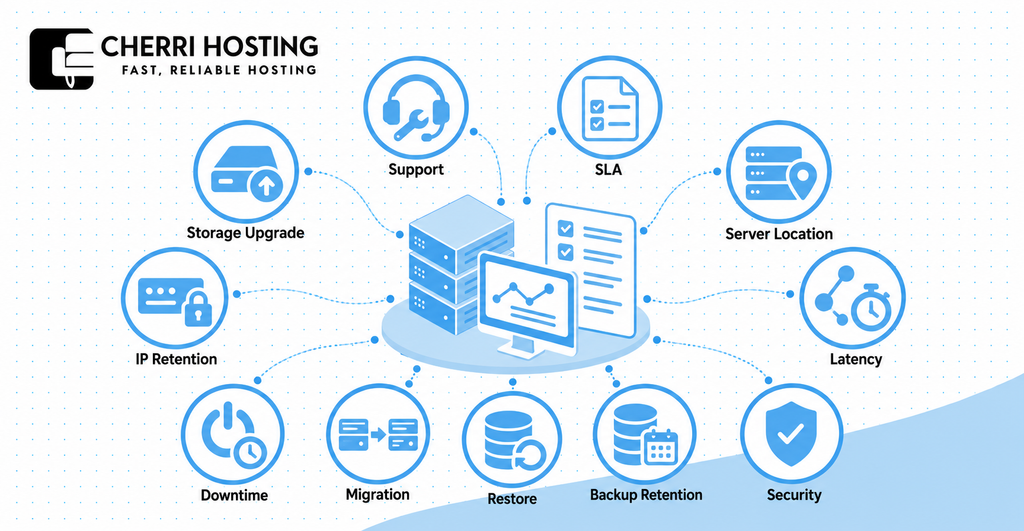
Verify the provider’s support commitment, infrastructure location, recovery coverage, and upgrade procedure before purchasing. Request written clarification when a product page leaves ownership unclear. Keep that confirmation with your selected configuration and billing agreement.
Support, Reliability, and Server Location
Ask what support will actually diagnose and repair. Restarting a virtual machine is different from repairing a corrupted database. Identify whether application support requires an additional agreement or external administrator.
Review the service-level agreement, commonly abbreviated SLA. It defines availability measurement, exclusion criteria, and potential service credit. A service credit compensates according to the contract rather than necessarily covering lost business revenue.
Treat an uptime commitment as a contractual threshold, not observed performance. DigitalOcean publishes 99.99% monthly uptime for each CPU Droplet.[9] Mathematically, that percentage corresponds to approximately 4.32 minutes of downtime during a 30-day month.
Credit eligibility still depends on the provider’s measurement and claim procedure. Check whether the agreement covers your virtual machine, network connectivity, or application availability. Those boundaries affect whether an interrupted checkout qualifies for compensation.
Test server location from your audience’s actual network. For a Pakistani audience, compare a test endpoint from Karachi and Lahore using the same method. Record latency in milliseconds and test application behavior, such as page loading and checkout completion.
PKR billing and Pakistan-based support do not prove the server physically resides in Pakistan. Ask for the deployment city and a test IP address. Compare measured performance rather than choosing exclusively by geographic distance or a country-specific sales page.
Security, Backups, and Upgrade Conditions
Confirm included security protection and your own maintenance responsibility. Network DDoS filtering does not replace application patching or administrative access control. Ask who investigates compromise and whether cleanup or restoration carries an additional charge.
Verify backup frequency, retention, and storage separation. DigitalOcean documents daily backup retention of 7 days and weekly retention of 4 weeks.[10] Another provider may use a different policy, so verify the chosen service directly.
A backup is useful only if it can restore the required data. Ask whether restoration overwrites the existing server or creates a separate environment. Confirm whether a backup remains available after server deletion or account suspension.
Define acceptable data loss and acceptable recovery time before choosing backup frequency. For example, a daily recovery point may miss an order recorded after that backup. An online store may therefore need more frequent database protection than a brochure website.
Check upgrade behavior before relying on future expansion. DigitalOcean documents resize downtime and states that a Droplet’s disk cannot shrink.[11] Do not assume another provider follows the same procedure or preserves the same configuration.
| Upgrade check | Question to resolve before purchase |
| Downtime | Does moving from 4 GB to 8 GB RAM require shutdown? |
| Address retention | Will the public IP address remain unchanged? |
| Storage expansion | Can an 80 GB disk expand, and can the change be reversed? |
| Migration coverage | Does assistance include database synchronization and application testing? |
| Failure recovery | What restoration or rollback procedure applies if resizing fails? |
What to Do After Choosing Your VPS
Secure, configure, and test your VPS before directing live traffic to it. Start by creating the administrative account and configuring SSH key authentication. Verify a second login before restricting the original access method to avoid locking yourself out.
Install operating-system security updates, such as an available Ubuntu patch, and configure the firewall for HTTPS access. Install only the software needed for your workload. Confirm that the database and administration interface are not unintentionally exposed to public access.
Prepare the application before changing DNS. Copy website content, such as the WordPress installation, and transfer the database using a consistent migration method. Configure SSL/TLS, which encrypts communication between the browser and server.
Test the migrated application through a preview method before switching traffic. Check login, checkout, email delivery, and scheduled processing using a defined test case for each function. Record the result so a successful page load does not conceal a broken business process.
Plan data synchronization and rollback for a transactional website. An order recorded on the old server after copying the database can otherwise be missing from the replacement. Decide when writing stops, how final synchronization occurs, and what reversing migration would require.
Keep the original hosting available temporarily while validating the replacement. Change DNS according to the migration plan and account for cached records, such as an existing A record. Retain a separate recovery copy before deleting the original environment.
Enable monitoring and test restoration before relying on the new server. Observe application response time, CPU consumption, memory pressure, and available disk space. Configure notification for a defined condition, such as storage approaching its selected warning threshold.
Restore a backup into an isolated test environment and verify the application. Record restoration duration and confirm that the recovered database contains the expected transaction. This exercise checks recovery ability rather than merely confirming that a backup file exists.
Use performance evidence to decide whether to optimize or expand. Investigate a slow database query, ineffective caching, or memory exhaustion before selecting the next action. Repeat the relevant workload test after the change to verify whether it removed the original bottleneck.
VPS Hosting FAQs
Can I Host Multiple Websites on One VPS?
Yes, a VPS can host multiple websites, such as 5 separate client portfolios. Capacity depends on combined peak demand rather than the website count alone. Configure appropriate account separation and ensure the control-panel license covers the intended arrangement.
Does VPS Hosting Include a Domain, Email, or Control Panel?
A VPS does not automatically include a domain registration, email service, or control-panel license. Check each inclusion against the selected offer and renewal terms. Running your own mail server also creates maintenance and deliverability responsibility, such as IP reputation management.
Can I Access a Windows VPS Through Remote Desktop?
Yes, when the Windows VPS supports and permits Remote Desktop access. Confirm the Windows license, intended usage rights, and access configuration with the provider. Restrict administrative exposure and verify whether your intended multiuser arrangement requires additional licensing.
Can I Run Docker, Automation, or AI Software on a VPS?
Yes, when the operating system, computing capacity, and provider policy support the software. A Docker application or automation workflow may fit a CPU-based VPS, depending on measured demand. Local AI inference can require substantially different memory or GPU capacity, so verify compatibility before purchasing.